By the Vertexweb team. Last reviewed .
If your business serves more than one town or city, it is natural to want a page for each. Done well, location pages help local customers find the right information. Done badly, they are near-identical pages with only the place name swapped, which can look like spam to search engines and unhelpful to visitors.
This guide explains when to create location pages, what makes each one genuinely useful, how to structure them and the mistakes to avoid.
Key takeaways
- Create a location page only where you genuinely serve customers.
- Each page needs its own useful, accurate details, not a copy with a new place name.
- Link location pages from a clear hub and to the services offered there.
- Keep business details consistent with your Google Business Profile.
- Quality beats quantity. A few strong pages beat dozens of thin ones.
What are location pages?
Location pages are pages on your website that focus on a specific place you serve, such as a town, city or branch. They answer questions like: do you work in my area, what do you offer there and how do I reach you? They are useful for businesses with several premises, for service-area businesses that travel to customers and for agencies that work with clients in different cities.
When should you create one?
- You have a physical premises or branch in that location.
- You regularly serve customers there and can describe how.
- You can say something useful that is specific to that area.
If you cannot do the last one, a single well-written service-area section may serve visitors better than many thin pages.
How search engines see thin location pages
Search engines say they want pages that are made for people, with original, helpful content. Pages that are created mainly to rank for lots of similar searches, and that funnel visitors to the same destination, are treated as doorway pages and can be demoted. Large numbers of near-duplicate pages can also be treated as low-value, scaled content.
The safest approach is to treat every location page as a real page with a real purpose.
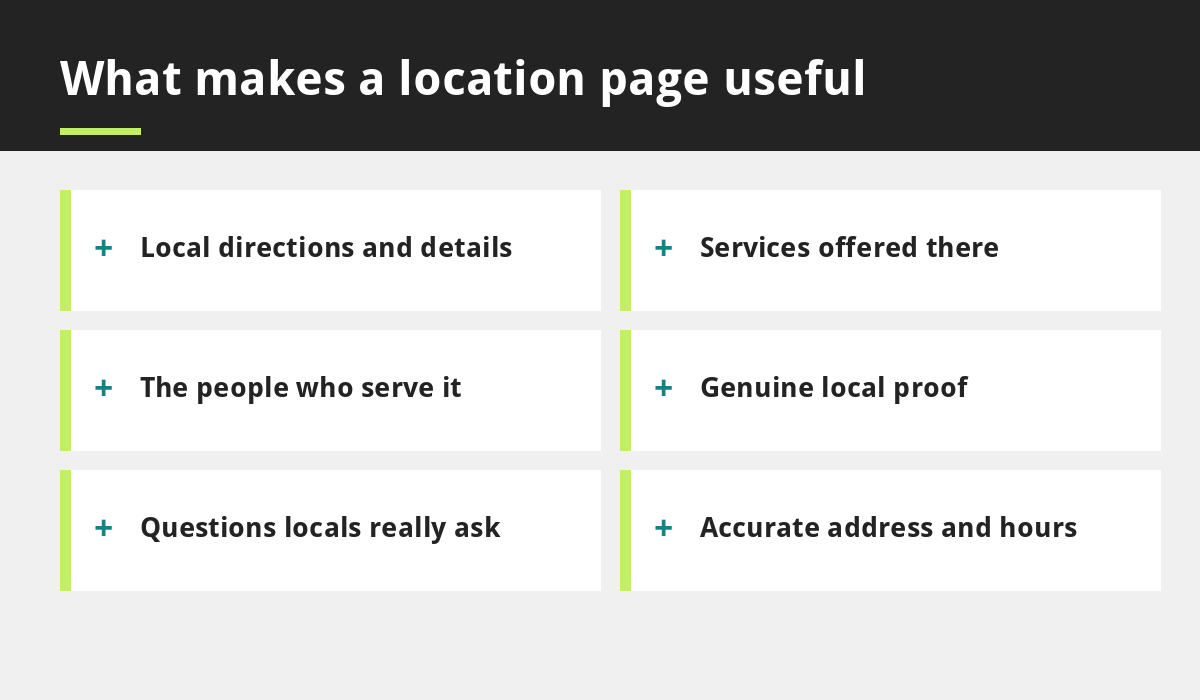
What makes a location page unique and useful
- Local detail: directions, parking, nearby landmarks and transport.
- Specific services: what you offer in that area and any limits.
- People: who works there or serves that area.
- Proof: genuine reviews, photos of local work or a local case study.
- Local questions: answers to questions customers in that area really ask.
- Accurate details: address, phone and hours that match your profile.
A simple page structure to copy
- Headline with the service and place.
- A short introduction about how you help in that area.
- Services available there, with links to each service page.
- Local details, directions and map.
- Local proof: reviews or examples.
- Questions and answers.
- A clear call to action.
For a working example of this approach, see our areas we serve hub and our Manchester and London pages.
Location pages and your Google Business Profile
If you have premises, each location should have its own Google Business Profile with accurate details, linked to its own page. Service-area businesses can set service areas and may hide their address, following Google’s guidelines. Never use a fake address or add keywords to your business name. Our Google Business Profile guide and local SEO services explain the process.
Mistakes to avoid
- Copying one page and swapping the city name.
- Creating pages for places you do not serve.
- Stuffing the page with lists of nearby towns.
- Using virtual offices or fake addresses.
- Forgetting internal links, so pages are orphaned.
Our general guide to local SEO for UK businesses covers the wider picture.
How to measure success
Track visits to each location page, calls and direction requests from the matching profile, and enquiries that mention the area. If a page gets no traffic after several months, improve it or merge it into a stronger page.
Example: a location page outline for a clinic with two branches
This is an illustration, not a real client. Imagine a clinic with one branch in the city centre and another in a nearby town. The city centre page would open with a clear headline and the treatments available there, then give directions from the nearest station, parking information and opening hours. It would introduce the practitioners who work at that branch, include a genuine patient review that mentions the location, and answer questions such as step-free access and appointment times. The second page would follow the same structure but contain its own details, its own team and its own questions, so a visitor reading both would find different, useful information on each. Both would link to the main treatment pages and to a hub listing every branch.
Common questions
How many location pages should I have?
Only as many as you can make genuinely useful. Start with your main premises and your most important service areas.
Can I use the same text on several location pages?
Avoid it. Shared service descriptions are fine, but each page should add its own local information and proof.
Final thoughts
Good location pages for SEO help real people in real places. Create them where you genuinely operate, add specific local detail, link them clearly and keep everything accurate. Fewer, stronger pages will serve you better than many copies.
If you would like help planning yours, contact us.
Sources and further reading
Related reading
- Website Content Checklist: What to Write for Every Page
- How Local SEO Helps UK Businesses Win Customers Nearby
- Google Business Profile Optimisation Guide
- Areas we serve
- Local SEO services
Launch offer for UK small businesses. Get a professional website for just £299 a year, with free domain, hosting and SSL for the first year. Only the first 20 customers.