
By the Vertexweb team. Last reviewed October 2026.
A prayer times widget shows your mosque’s daily salah and iqamah times on your website automatically, so worshippers always see the right times. Prayer times are usually the most visited part of any mosque website. If they are wrong, or a PDF from last year, people lose trust quickly.
This guide explains the ways to add a prayer times widget to a mosque website, how to choose the right calculation settings for the UK, and how to keep iqamah times, Jumu’ah and Ramadan timetables accurate all year.
Key takeaways
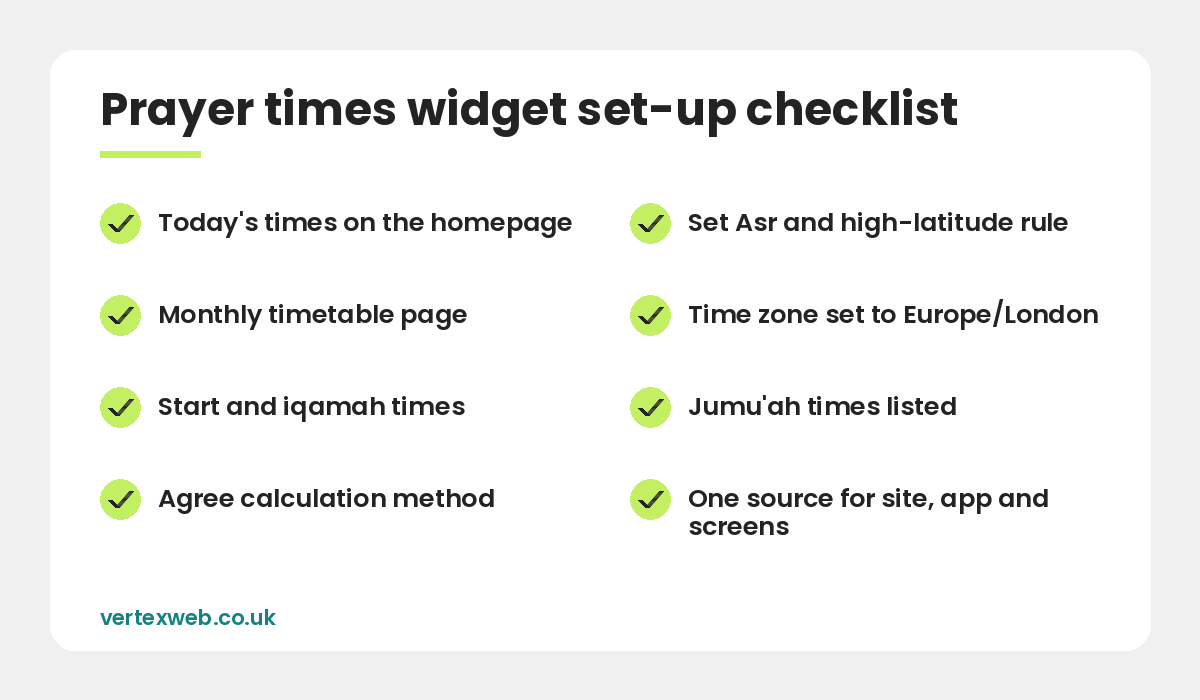
- Show today’s start and iqamah times on the homepage, with a full monthly timetable on its own page.
- Choose between a WordPress plugin, a mosque platform such as Mawaqit or Masjidbox, an API, or an uploaded timetable.
- Agree the calculation method, Asr juristic setting and high-latitude rule with your imam.
- Iqamah times are set by the mosque, so make them easy for volunteers to update.
- Use the same source for your website, app and screens inside the mosque.
What a good prayer timetable shows
- Today’s date in Gregorian and Hijri calendars.
- Start (adhan) times for Fajr, sunrise, Dhuhr, Asr, Maghrib and Isha.
- Iqamah (jama’ah) times set by the mosque.
- Jumu’ah khutbah and salah times, including second and third Jumu’ah if you hold them.
- A highlight or countdown for the next prayer.
- A full monthly timetable, printable or downloadable as a PDF.
Four ways to add a prayer times widget
1. A WordPress prayer times plugin
If your site runs on WordPress, a plugin such as Daily Prayer Time lets you upload a yearly timetable from a CSV file or calculate times automatically, then show a widget on the homepage and a monthly table on another page. It is low-cost and keeps everything on your own website.
2. A mosque management platform
Platforms such as Mawaqit and Masjidbox manage prayer times in one place and push them to a website widget, a mobile app and digital screens in the prayer hall. This is a good option if you want one source for everything and volunteers who are not confident with WordPress.
3. A prayer times API
A developer can pull calculated times from a service such as the Aladhan API and style them to match your website. It is flexible, but you still need a way to add your own iqamah times.
4. An uploaded timetable
Some mosques work from a timetable agreed locally or produced by a regional committee. You can upload it as a spreadsheet and display it with a plugin or simple table. Avoid only uploading a PDF, because it is hard to read on a phone and Google cannot read it easily.
Calculation settings for UK mosques
If your prayer times widget calculates times automatically, three settings matter. Agree them with your imam or committee before going live.
- Calculation method. Common options include Muslim World League, ISNA, Umm al-Qura, Egyptian General Authority, University of Islamic Sciences Karachi and Moonsighting Committee Worldwide. Each uses different sun angles for Fajr and Isha.
- Asr setting. The standard (Shafi’i, Maliki and Hanbali) setting or the Hanafi setting, which gives a later Asr time.
- High-latitude rule. In the UK, the sun does not go far enough below the horizon in summer for some methods to give a Fajr or Isha time. Rules such as angle-based, one-seventh of the night or middle of the night solve this. Many UK mosques use a fixed or locally agreed timetable in summer for this reason.
Also check the time zone is Europe/London so British Summer Time changes in March and October happen automatically.
Managing iqamah and Jumu’ah times
Iqamah times are decided by the mosque, not calculated, so they need a simple update process. Good options are a single settings page in WordPress, a spreadsheet that the widget reads, or the iqamah editor in your mosque platform. Give two trusted volunteers access, and set a reminder before each clock change and before Ramadan.
Show Jumu’ah times clearly, including the language of the khutbah and any winter or summer changes. If you have more than one Jumu’ah, list each one with its time.
Ramadan and Eid timetables
During Ramadan, traffic to mosque websites rises sharply. Prepare a Ramadan timetable page with sehri (suhoor) end times, iftar times, taraweeh times and the date of Laylat al-Qadr programmes. Add Eid prayer times and locations as soon as they are confirmed, with a clear note about moon sighting. This is also the best time to promote your appeals. See Ramadan fundraising ideas for mosques.
Prayer times and local SEO
People search “[mosque name] prayer times” and “prayer times [town]” every day. To appear in those results:
- Show prayer times as HTML text on the page, not only as an image or PDF.
- Use a clear page title such as “Prayer Times | [Mosque Name], [Town]”.
- Link to the prayer times page from your main menu and homepage.
- Keep your Google Business Profile hours and website link up to date.
Our SEO services can help your mosque appear for local searches.
Common mistakes
- Showing calculated times that do not match the timetable on the mosque wall.
- Forgetting to update iqamah times after the clocks change.
- Only offering a PDF that is unreadable on mobile.
- A widget that slows the homepage because it loads heavy scripts.
- No clear note when times change for Ramadan or Eid.
If you are working with a developer, the Aladhan prayer times API documentation lists the calculation methods and settings a prayer times widget can use.
Common questions
How do I add prayer times to my mosque website?
Use a WordPress prayer times plugin, a mosque platform such as Mawaqit or Masjidbox, a prayer times API, or upload your agreed timetable as a spreadsheet and display it as a table.
Which calculation method do UK mosques use?
It varies. Many UK mosques use a locally agreed timetable, while others use methods such as Muslim World League or Moonsighting Committee Worldwide with a high-latitude rule. Agree the method with your imam.
Why are Fajr and Isha times difficult in the UK summer?
At UK latitudes the sun does not go far enough below the horizon in summer for some calculation methods, so mosques use a high-latitude rule or a fixed local timetable.
Can the website and mosque screens show the same times?
Yes. Mosque platforms such as Mawaqit and Masjidbox, or a shared spreadsheet, can feed the website, app and screens from one source.
Should prayer times be a PDF?
A downloadable PDF is useful, but times should also be shown as text on the page so they are readable on mobile and visible to Google.
Final thoughts
A reliable prayer times widget is the most important feature on a mosque website. Choose a method that suits your volunteers, agree the calculation settings with your imam, make iqamah times easy to update and use one source for your website, app and screens. For the full list of what your site needs, read our guide to mosque website features.
We set up prayer times on mosque websites as part of our mosque website design service. Contact us to get started.
Related reading
- Mosque and Islamic centre website design
- Mosque Website Features: What Every Masjid Site Needs
- Ramadan Fundraising Ideas for Mosques
- Can Mosques Claim Gift Aid? A Guide for Mosque Trustees
- Social Media Ideas for Mosques and Islamic Centres
Accurate prayer times, every day. VertexWeb sets up prayer time widgets, iqamah editors and Ramadan timetables that volunteers can update in minutes.