
By the Vertexweb team. Last reviewed 4 October 2026.
A website is never really finished. Software needs updating, security threats change, forms stop working, plugins conflict and information goes out of date. Regular website maintenance in the UK keeps your site safe, fast and working properly, and prevents the kind of emergency that takes your site offline in the middle of your busiest week.
This guide explains what website maintenance involves, why it matters, a simple weekly, monthly and yearly routine, how to decide between doing it yourself and paying a provider and what to ask before you buy a maintenance plan.
Key takeaways
- Maintenance means updates, backups, security checks, speed and content reviews.
- Skipping it leads to security risks, broken features and lost customers.
- A simple routine can be done in an hour or two each month.
- Ask providers exactly what their maintenance plan includes and how fast they respond.
- Always test that backups can be restored.
What is website maintenance?
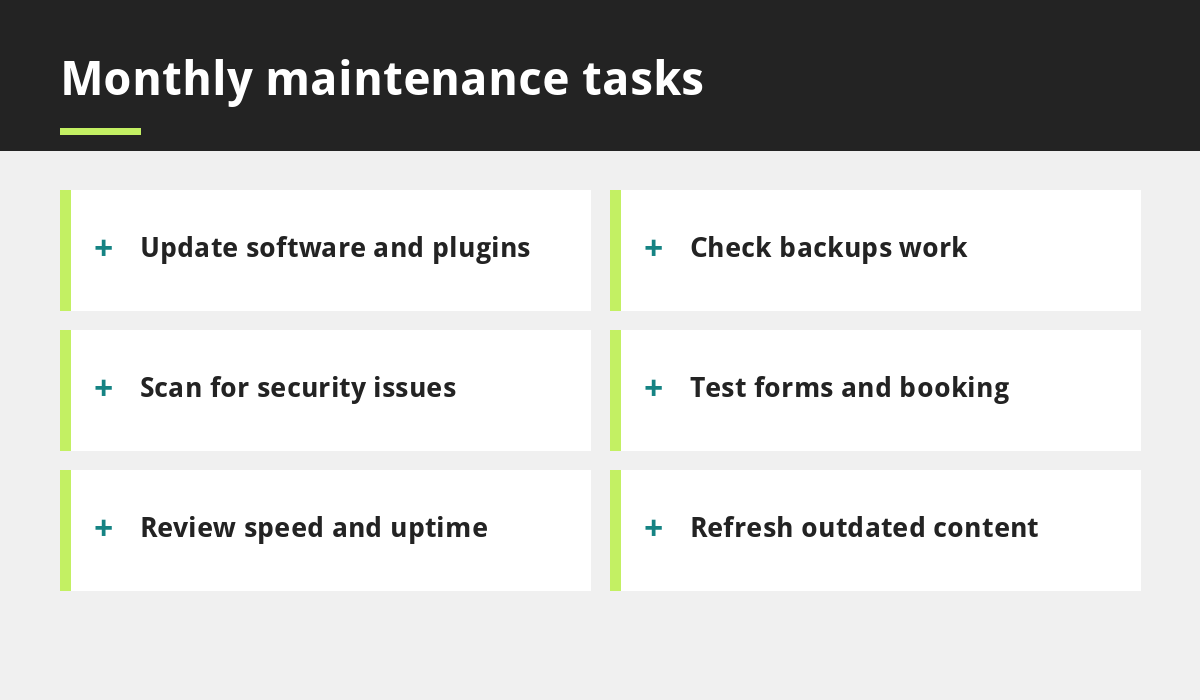
Website maintenance is the ongoing care that keeps your site secure, fast and accurate after launch. It includes updating software, checking backups, scanning for security problems, testing forms and booking, monitoring speed and uptime and keeping your content current. Think of it like servicing a vehicle: small regular checks prevent expensive breakdowns.
Why it matters
Outdated software is one of the most common ways websites get hacked. Broken forms silently lose enquiries. Old opening hours, prices and offers frustrate customers and can harm trust. Slow pages lose visitors, as we explain in our guide to speeding up your website. Search engines also prefer sites that are secure, working and up to date.
The core maintenance tasks
Updates
Keep your website platform, theme and plugins updated. If you use WordPress, this is especially important. See how it compares with other platforms in WordPress vs Wix vs Squarespace.
Backups
Back up your site regularly, store copies away from the main server and test that you can restore them. A backup you cannot restore is not a backup.
Security
Use strong, unique passwords, turn on two-step login, limit admin accounts, use HTTPS and scan for malware. Remove users who no longer need access.
Uptime and performance
Use a monitoring tool to alert you if the site goes down, and review loading speed every few months.
Forms, booking and links
Submit your contact form, make a test booking and check for broken links. This matches the checks in our website launch checklist.
Content and legal pages
Update hours, prices, services and team details. Review your privacy and cookie information, using our GDPR guide.
Renewals
Keep track of your domain, hosting and any paid tools. Read how to choose a domain name to understand why ownership and renewal matter.
A simple maintenance routine
- Weekly: check that the site loads, review form enquiries and install urgent security updates.
- Monthly: update software, check backups, test forms and booking, scan for security issues and review analytics.
- Quarterly: review speed, broken links, content accuracy and user accounts.
- Yearly: review hosting, domain renewals, legal pages and overall design and goals.
Warning signs something is wrong
- Pages load much slower than before.
- Strange pop-ups or redirects appear.
- You are locked out of your admin area.
- Your site shows a browser security warning.
- Forms no longer send emails.
- Google flags your site as unsafe.
If you notice any of these, restore from a clean backup and ask your host or developer for help straight away.
Do it yourself or use a provider?
If you are comfortable with your website platform and have time each month, you can handle basic maintenance yourself. If you are busy, run a complex site or use features like bookings and payments, a provider can save time and risk. Some agencies offer monthly maintenance plans, and others include maintenance in a yearly price. Our web development team can advise on the right level of support.
What to ask before buying a maintenance plan
- What is included, and what costs extra?
- How often are backups taken, and where are they stored?
- How quickly do you respond to problems?
- Do you provide security monitoring?
- Are small content edits included?
- Can I cancel, and will I keep my site and data?
These match the questions in our guide to cheap website red flags.
What does maintenance cost?
Costs vary widely, from doing it yourself at little more than your time to monthly or yearly plans from providers. Compare what you get for the price, including support, backups and security, rather than looking at the headline number. Always ask about renewal pricing and whether the plan covers the number of changes you actually need.
Common maintenance mistakes
- Never updating software for fear of breaking something.
- Keeping backups on the same server as the site.
- Sharing one admin password between several people.
- Ignoring form errors until customers complain.
- Forgetting hosting or domain renewal dates.
Frequently asked questions
What does website maintenance include?
Typically software updates, backups, security checks, uptime and speed monitoring, testing of forms and booking and content updates.
How often should I update my website?
Check weekly for urgent security updates, and do a fuller routine monthly. Review content, speed and legal pages every few months.
How much does website maintenance cost?
It varies. You can do basic tasks yourself, or pay a provider monthly or yearly. Compare exactly what is included, including backups, security and support.
What happens if I do not maintain my website?
Outdated software can create security risks, features may break, content can go stale and speed may suffer, which can cost you customers and visibility.
Do Wix and Squarespace sites need maintenance?
Hosted builders handle many technical updates for you, but you still need to keep content, forms, bookings and legal information accurate and up to date.
Final thoughts
Good website maintenance in the UK is not glamorous, but it protects everything your website does for your business. Update software, keep tested backups, watch security, check forms and keep your content fresh. A short, regular routine, or a trusted provider, keeps small problems from becoming big ones.
If you would like help keeping your website healthy, contact our team.
Related reading
- How to Speed Up Your Small Business Website
- WordPress vs Wix vs Squarespace
- GDPR and Cookie Compliance for Small Business Websites
- How to Choose a Domain Name for Your UK Business
Launch offer for UK small businesses. Get a professional website for just £299 a year. Only the first 20 customers, for restaurants, small clinics and small businesses.