
By the Vertexweb team. Last reviewed .
A new design can make your website faster, clearer and more professional. But a careless website redesign can also wipe out years of search visibility overnight. Pages disappear, addresses change, redirects are forgotten and rankings fall. The good news is that the risk is manageable if you plan for it.
This guide shows how to redesign your site while protecting what already works: what to audit, how to handle old and new URLs, what to check on a staging site, what to do on launch day and how to monitor results afterwards.
Key takeaways
- Audit what ranks and brings enquiries before you change anything.
- Keep URLs the same where you can, and map every changed URL to a new one.
- Use one-to-one 301 redirects. Never send everything to the home page.
- Test on a staging site and make sure it is hidden from search until launch.
- Monitor errors, traffic and enquiries for several weeks after launch.
Why redesigns put rankings at risk
Search engines have learned your old pages, their addresses, their content and the links pointing to them. When those change without a clear signal, the search engine has to start again. Typical causes of lost visibility are changed addresses with no redirects, removed pages that used to rank, thinner content, slower pages and accidentally blocking search engines during the build.
A redesign should improve results, not reset them. If your main goals are better speed, mobile design and clearer calls to action, you can often achieve them without changing most addresses. Our website redesign services follow this careful approach.
Step 1: Audit what you have
List every page on your current site, and note which ones bring visitors, calls and enquiries. If you have analytics and search tools set up, record the most visited pages and the searches that bring people in. Note the pages other sites link to, because those links carry value.
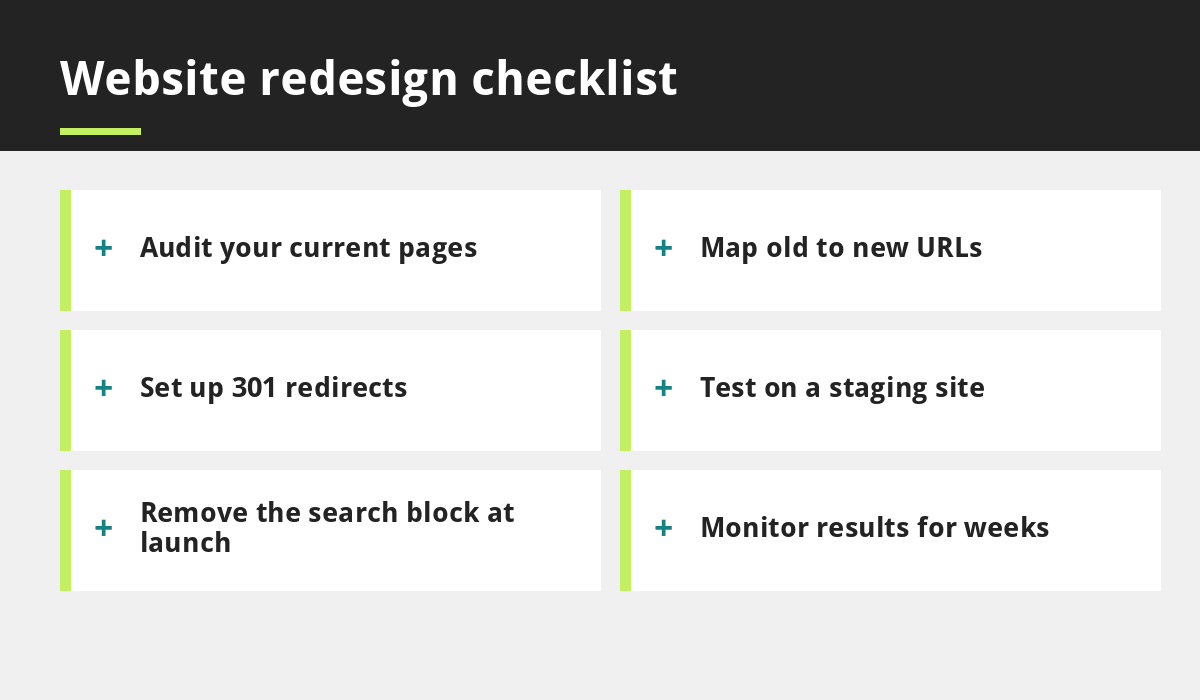
- Export a list of all current URLs.
- Mark the top pages by visits and enquiries.
- Record page titles, headings and main content on those pages.
- Take a full backup of the site.
Step 2: Plan your new structure and URL map
Decide which pages to keep, improve, merge or remove. Where possible, keep the same address for pages that perform well. If an address must change, record the old address and the new one in a simple table. This URL map is the most important document in the project.
Do not delete useful pages just because the new design is tidier. If a page has to go, redirect it to the closest relevant replacement.
Step 3: Set up 301 redirects properly
- Use 301 (permanent) redirects from each old address to its matching new page.
- Redirect one-to-one. Sending every old page to the home page confuses search engines and visitors.
- Avoid chains, where one redirect leads to another and then another.
- Test every redirect after launch.
Step 4: Protect what ranks
Keep the useful content from pages that already perform. You can reorganise and improve it, but do not strip it out. Keep titles and headings clear and similar unless you have a reason to change them. Improve rather than replace. For ideas on writing helpful pages, read how to write blog posts that rank on Google.
Step 5: Build and test on a staging site
Build the new site on a private staging copy and block it from search engines while you work. Then check speed, mobile layout, forms, links, images and page titles. See our guides on speeding up your site and mobile-first design.
The most common launch mistake is leaving the “discourage search engines” setting switched on. Turn it off when you go live, and check again afterwards.
Launch day checklist
- Take a fresh backup.
- Switch the new site live.
- Turn off any block on search engines.
- Apply and test all redirects.
- Submit your sitemap to Search Console.
- Check your forms, phone links and booking.
- Confirm your Google Business Profile links to the correct page.
Our small business website checklist covers more detail.
After launch: monitor closely
For the first four to eight weeks, check for new error pages, watch visits and enquiries and compare with your before figures. Some movement is normal while search engines re-crawl. Fix problems quickly, and if a key page is missing or redirecting wrongly, correct it straight away.
Common redesign mistakes
- Changing every address for no reason.
- Redirecting everything to the home page.
- Forgetting to remove the block on search engines.
- Deleting pages that bring in enquiries.
- Launching without testing on real phones.
Also read five website design mistakes that cost you customers.
How long a careful redesign takes
The time depends on the size of the site and how much content needs to be reviewed. A small site with a clear URL map can often be redesigned in several weeks, while a larger site with many pages and redirects takes longer. Allow extra time for the audit and testing steps, because rushing them is where mistakes happen. Agree a launch date that avoids your busiest trading period, and keep a rollback plan so you can restore the old site if something goes seriously wrong.
Common questions
Will my rankings drop after a redesign?
There can be short-term movement, but a careful redesign with proper redirects and content protection limits the risk. Nobody can promise rankings stay the same.
Should I change my domain during a redesign?
Usually not. Keeping the same domain protects your existing visibility.
Final thoughts
A website redesign does not have to cost you your rankings. Audit first, keep what works, map and redirect every changed address, test on staging, launch carefully and monitor results.
If you would like a careful redesign plan, talk to our team or learn about our website redesign services.
Related reading
- 10 Small Business SEO Mistakes to Avoid
- 5 Website Design Mistakes That Cost You Customers
- How to Speed Up Your Small Business Website
- How Local SEO Helps UK Businesses Win Customers Nearby
- Website redesign services
Launch offer for UK small businesses. Get a professional website for just £299 a year, with free domain, hosting and SSL for the first year. Only the first 20 customers.