By the Vertexweb team. Last reviewed October 2026.
This charity website checklist covers everything a UK charity site needs to build trust, raise donations and recruit volunteers. Your website is often the first place a donor, funder, volunteer or service user checks before they decide to get involved. If it is slow, out of date or hard to use, they leave.
Use this charity website checklist to review your current site or to brief a designer for a new one. It is split into the pages you need, the trust signals people look for, the legal basics, and the technical checks that keep the site fast and visible on Google.
Key takeaways
- Make the donate button visible on every page, with Gift Aid built into the form.
- Show your charity number, trustees and impact clearly to build trust.
- Every core audience needs its own path: donors, volunteers, service users and funders.
- Accessibility, privacy and cookie consent are not optional.
- A fast, mobile-friendly site ranks better and converts more visitors.
Essential pages for your charity website checklist
- Homepage. Say who you help, where, and what you want visitors to do, within the first screen.
- About us. Your mission, history, trustees, staff and governance. Link to your Charity Commission register entry.
- What we do. A page for each service or programme, written for the people who use it.
- Get help. If you provide services, make it easy to find eligibility, opening times and how to contact you.
- Donate. A dedicated, fast donation page with one-off and monthly options.
- Get involved. Volunteering roles, events, fundraising packs and corporate partnerships.
- Impact. Numbers, stories and your latest annual report.
- News or blog. Updates, appeals and helpful guides about your cause.
- Contact. Phone, email, address, a simple form and a map if people visit you.
The donation journey
Most of the value in a charity website comes from the donation journey. Check that:
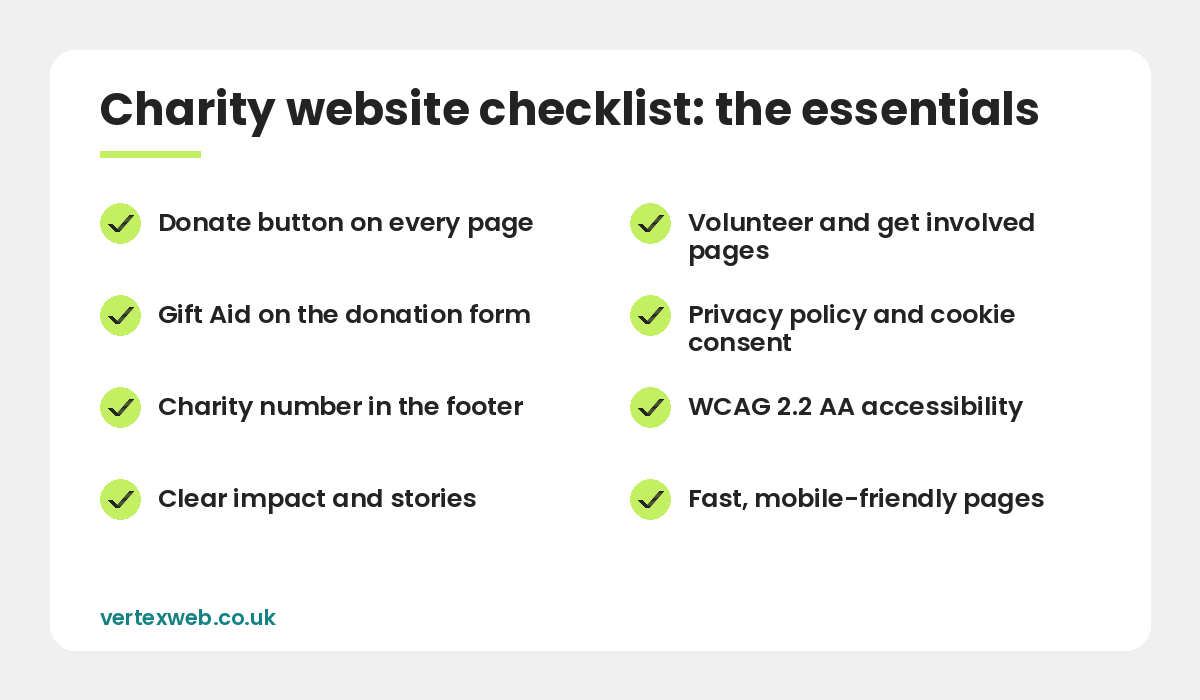
- A clear “Donate” button sits in the header on every page, in a contrasting colour.
- The donation form has as few steps as possible and works well on a phone.
- Suggested amounts explain what each gift does, for example “£25 pays for a week of meals”.
- Monthly giving is offered and explained.
- Apple Pay, Google Pay and PayPal are available alongside card payments.
- Gift Aid is included with an unticked opt-in box. Our guide to Gift Aid online donations covers the wording.
- The thank-you page and email confirm the gift and suggest a next step, such as sharing or signing up to the newsletter.
Trust signals donors look for
People want to know their money is safe and well used. Include:
- Your registered charity number in the footer, and company number if you are a charitable company.
- The Fundraising Regulator badge if you are registered with them.
- Real photos of your team, volunteers and the people you support, with consent.
- Clear impact figures and case studies, kept up to date.
- Your annual report and accounts, or a link to them on the Charity Commission register.
- Partner and funder logos where you have permission to use them.
- Secure HTTPS across the whole site.
Legal and compliance basics
Registered charities in England and Wales with a gross income over £10,000 must state that they are a registered charity on fundraising documents, including websites that ask for money. Check the current rules on the Charity Commission website. You should also have:
- A privacy policy explaining what personal data you collect and why, in line with UK GDPR.
- A cookie banner that asks for consent before non-essential cookies load.
- A safeguarding statement if you work with children or adults at risk.
- A complaints procedure, especially for fundraising complaints.
- Terms for online donations, refunds and regular giving.
Accessibility
Many charities serve people with disabilities, older people or those with low literacy, so accessibility matters even more. Aim for WCAG 2.2 AA. In practice that means good colour contrast, readable font sizes, descriptive link text, alt text on images, captions on videos, forms that work with a keyboard and screen reader, and plain English throughout.
Technical and SEO checks
- Pages load in under about 3 seconds on mobile and pass Core Web Vitals.
- Each page has a unique title tag and meta description.
- Service pages target the phrases people search, such as “dementia support group Bolton”.
- Your site is connected to Google Search Console and Google Analytics 4.
- Your Google Business Profile is set up and linked to the website.
- The content management system, such as WordPress, plugins and theme are updated monthly, with backups.
- Donations, sign-ups and enquiries are tracked as conversions, which you also need for Google Ad Grants.
Our SEO services can help if your charity is hard to find on Google.
Content that keeps people coming back
A website that never changes gives people no reason to return. Plan simple, regular content: one impact story a month, appeal updates, event recaps and helpful guides about your cause. Share each piece on your social channels and in your email newsletter. For ideas, see social media for small charities.
Save or print this charity website checklist and review it with your trustees once a year. For accessibility standards, the W3C WCAG overview is a useful reference.
Common questions
What should a charity website include?
At minimum: a clear homepage, about us, services, a fast donation page with Gift Aid, ways to get involved, impact stories, contact details, your charity number, a privacy policy and cookie consent.
Does a charity website need to show the charity number?
Registered charities in England and Wales with income over £10,000 must state their registered status on fundraising documents, including websites that ask for money. Showing the number in the footer is the simplest way.
How much does a charity website cost?
It depends on the number of pages and features such as donations, events and CRM integration. Ask for a written quote and check what ongoing hosting and maintenance costs.
Which platform is best for a charity website?
WordPress is a popular choice because it is flexible, has donation and Gift Aid plugins, and many people can learn to update it.
How often should a charity update its website?
Review key pages every few months and add new content, such as stories and news, at least monthly.
Final thoughts
Work through this charity website checklist one section at a time. Start with the donation journey and trust signals, because they have the biggest effect on income. Then fix accessibility, legal pages and speed. A small, well-run site beats a large, outdated one.
If you would like a second opinion, contact us for a free charity website review.
Related reading
- Charity and non-profit website design
- How to Add Gift Aid to Online Donations
- Google Ad Grants for Charities: UK Eligibility and How to Apply
- Online Fundraising Ideas for Small Charities
- Islamic charity and NGO website design
Tick every box on this list. VertexWeb designs charity websites with fast donation pages, Gift Aid, accessibility and SEO built in.