By the Vertexweb team. Last reviewed October 2026.
WordPress maintenance for a small business means keeping updates, backups, security and performance under control on a regular schedule. WordPress is flexible and widely used, but like any software it needs attention. Without it, plugins fall out of date, forms stop working and sites become easier targets for attackers.
This guide gives you a practical checklist you can copy: what to check weekly, monthly, quarterly and yearly, how to update WordPress safely, which free tools help and when it is time to hand maintenance to a professional. If you want an overview first, read our website maintenance guide for UK small businesses.
Key takeaways
- A small, regular routine is easier and safer than occasional big clean-ups.
- Always take a backup before updating, and test important pages afterwards.
- Weekly checks cover updates and uptime. Monthly checks cover backups, speed and forms.
- Remove unused plugins, themes and user accounts to reduce risk.
- If you do not have time, a maintenance plan is a sensible option.
What does WordPress maintenance involve?
WordPress maintenance is the regular upkeep of your website: updating WordPress core, themes and plugins, taking and testing backups, watching for security problems, checking speed and uptime, testing forms and links and keeping content and legal pages current. The aim is to keep the site secure, fast and working for your visitors.
Before you start: backup and safe updating
Never update without a recent backup. Take a full backup of files and database, store a copy away from your website and know how to restore it. If you have a staging copy of your site, test major updates there first.
Weekly WordPress maintenance checklist
- Check that the site loads and is online.
- Install urgent security updates.
- Check form submissions are arriving in your inbox.
- Clear spam comments and review new user accounts.
- Look at any security or uptime alerts.
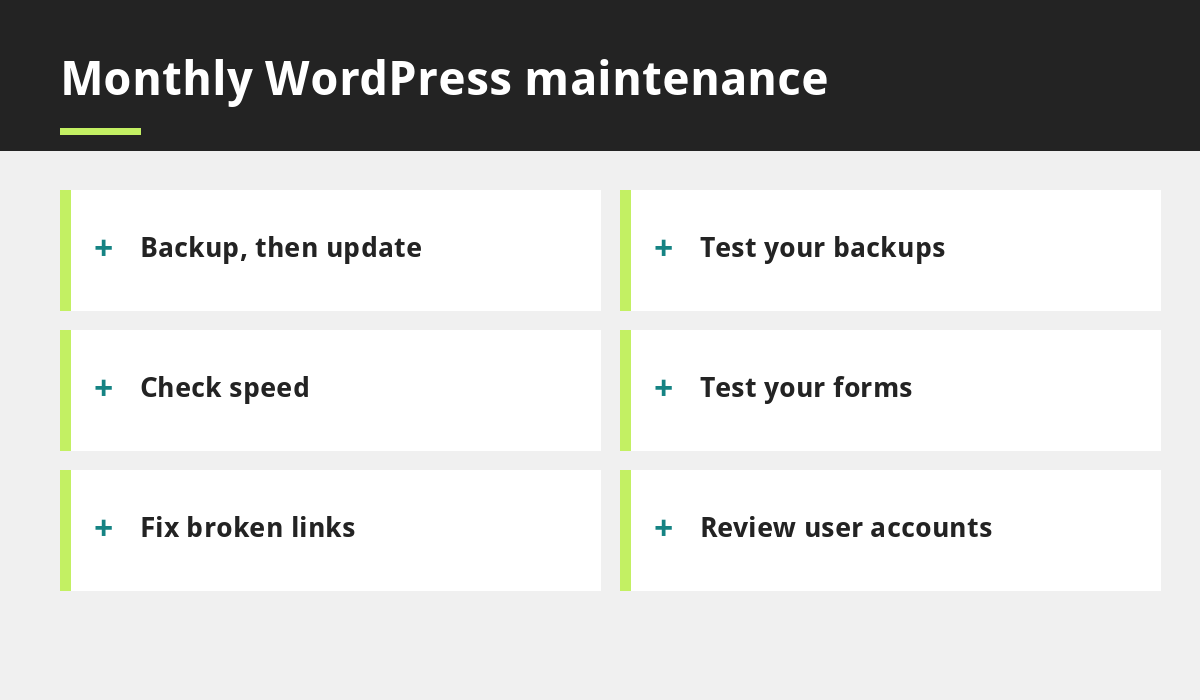
Monthly WordPress maintenance checklist
- Update WordPress core, themes and plugins, after taking a backup.
- Test that backups can be restored.
- Run a speed test and compare with last month. See how to speed up your small business website.
- Test contact, booking and checkout forms.
- Check for broken links and error pages.
- Review analytics for sudden drops or spikes.
Quarterly checks
- Delete plugins and themes you no longer use.
- Review user accounts and remove anyone who should not have access.
- Check that strong passwords and two-step login are in place.
- Confirm your PHP version is supported by your host.
- Review page titles, descriptions and key pages for SEO. Our guide to small business SEO mistakes lists what to look for.
- Check accessibility basics such as contrast, alt text and form labels.
Yearly tasks
- Renew your domain, hosting and SSL certificate, and turn on auto-renew. See domain, hosting and SSL explained.
- Review privacy and cookie information. See our GDPR and cookie compliance guide.
- Update team photos, services, prices and contact details.
- Decide whether the design still fits your business or needs a refresh.
How to update WordPress safely, step by step
- Take a full backup.
- Update plugins one at a time, or in small groups, rather than all at once.
- Update your theme next, then WordPress core.
- Check the home page, forms, menus and key service pages.
- If something breaks, restore the backup or roll back the last update.
- Write down what you changed and the date.
Free tools that help
- Google Search Console to see search errors and indexing issues.
- PageSpeed Insights to test loading speed.
- An uptime monitor to alert you if the site goes offline.
- A security plugin or host-level scanning to flag common problems.
Common WordPress maintenance mistakes
- Updating without a backup.
- Leaving unused plugins and old themes installed.
- Sharing one admin login between several people.
- Ignoring warnings from your host or security tools.
- Never testing that backups actually restore.
When to ask for professional help
Consider a maintenance service when you are short of time, when your site brings in significant enquiries or sales, when updates keep breaking things or when you have been hacked. VertexWeb offers website maintenance services from £80, with the price confirmed in a written quote, and our WordPress web design clients can add maintenance, SEO and marketing in one plan. We work with businesses across the UK by phone, video and email.
Basic WordPress security habits worth building in
Good website maintenance and website security go together. Use a strong, unique password for every administrator and turn on two-step login. Give each person their own account rather than sharing one, and give them only the access they need. Install plugins and themes only from sources you trust, and remove any you no longer use. Keep your hosting account secure too, because a weak hosting password can undo every other precaution. If your site ever behaves strangely, such as unexpected redirects or new admin users, restore from a clean backup and ask your host or maintenance provider for help straight away.
Quick speed checks to include each month
Speed is part of regular website updates and maintenance. Each month, run your home page and your most important service page through PageSpeed Insights and note the results. Look for oversized images, too many active plugins and slow hosting. Compressing images and removing plugins you do not need often gives the biggest gains for the least effort.
Common questions
How often should I update my WordPress website?
Check weekly for urgent security updates and make a full round of updates at least monthly, after a backup.
Is WordPress safe for small businesses?
Yes, when it is kept updated, uses strong passwords and trusted plugins and has regular backups. Most problems come from neglected sites.
How much does WordPress maintenance cost?
It depends on the size and needs of your site. See our guide to domain, hosting and SSL and our maintenance services, where plans start from £80.
For more detail, see the official WordPress guide to updating WordPress.
Final thoughts
A simple routine is the heart of good WordPress maintenance for a small business: backup first, update carefully, check your forms and speed, remove what you do not use and keep your logins tidy. Copy the checklist above and set reminders in your calendar.
If you would rather hand it over, see our website maintenance services or contact us.
Related reading
- Website maintenance services from £80
- Website Maintenance for UK Small Businesses: What You Need and Why
- How to Speed Up Your Small Business Website
- GDPR and Cookie Compliance for UK Small Business Websites
- Website Maintenance Cost UK: What to Expect and How to Compare Plans
Website maintenance from £80. VertexWeb maintains websites for UK small businesses, with the exact price confirmed in a written quote.