By the Vertexweb team. Last reviewed October 2026.
Website accessibility means making sure everyone can use your site, including people who are blind or have low vision, have limited hand movement, are deaf or hard of hearing or find complex pages hard to follow. It is the right thing to do, it can widen your audience and many of the fixes also make your site clearer for everyone.
This guide explains why accessibility matters for UK small businesses, the main principles, quick wins you can apply today, simple ways to test and the mistakes to avoid. It is general guidance, not legal advice.
Key takeaways
- Accessibility helps real customers and usually improves usability for everyone.
- Most small business sites can fix the biggest issues with simple changes.
- Contrast, alt text, headings, link text, form labels and keyboard use matter most.
- Test with a keyboard, zoom and a free automated checker.
- Aim for the widely used WCAG standard, and improve step by step.
Why accessibility matters
Millions of people in the UK live with a disability, and many more have temporary or situational limits, such as a broken arm or a bright screen. If your site is hard to use, you lose customers and goodwill. In the UK, businesses that provide services to the public have duties under the Equality Act 2010 to avoid discrimination and to make reasonable adjustments, and public sector websites have specific accessibility regulations. Rules differ by organisation, so check current guidance for your situation.
The four principles in plain English
- Perceivable: people can see or hear the content, for example through text alternatives and good contrast.
- Operable: people can use the site with a keyboard, a mouse or assistive technology.
- Understandable: the content and navigation are clear and predictable.
- Robust: the site works with different browsers and assistive tools.
These come from the Web Content Accessibility Guidelines, usually called WCAG, which many organisations use as their target.
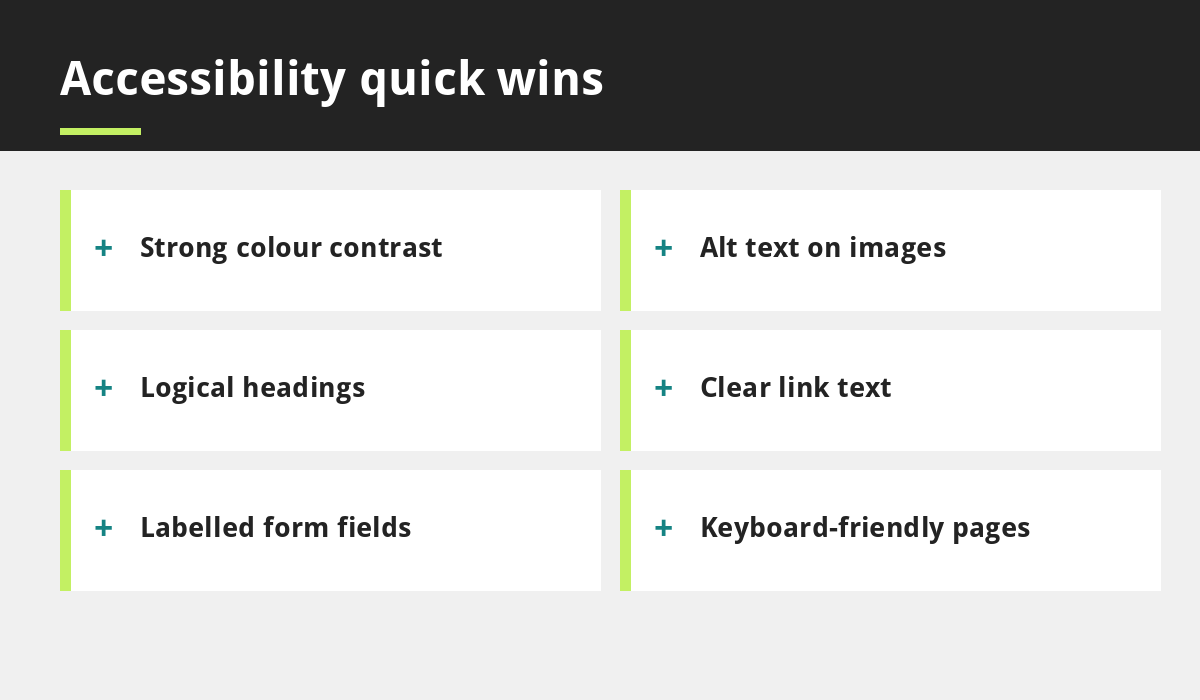
Quick wins you can apply now
Use strong colour contrast
Text should stand out clearly from its background. As a guide, WCAG expects a contrast ratio of at least 4.5 to 1 for normal text. Check your own colour pairs with a free contrast checker.
Add alt text to images
Write a short, accurate description of each meaningful image. Decorative images can be left empty.
Use proper headings
Use one main heading and logical subheadings so people can navigate by headings.
Write clear link and button text
Avoid “click here”. Use text such as “Book a table” or “Read our SEO guide”.
Label every form field
Each field needs a visible label, and errors should say what went wrong and how to fix it.
Keep keyboard use in mind
Visitors should be able to move through your site with the Tab key, and always see where they are.
Allow text to be resized
Your layout should still work when text is enlarged or the page is zoomed.
Accessibility and mobile design
Good mobile design and accessibility overlap. Large tap targets, readable text and simple navigation help everyone. See why your business needs a mobile-first website and our post on design mistakes that cost you customers.
How to test your site
- Try to use your site with only the keyboard.
- Zoom the page to 200 percent and check nothing breaks.
- Run a free automated checker, such as the accessibility audit in Chrome’s Lighthouse tool, and fix what it finds.
- Check colour contrast on your main text and buttons.
- Ask someone who uses assistive technology to try your key pages, if you can.
Automated tools find only some issues, so combine them with manual checks.
Consider an accessibility statement
A short statement explains how you try to make your site accessible and how to contact you if someone has difficulty. It shows good faith and makes it easy for customers to ask for help.
Common accessibility mistakes
- Low-contrast text, such as pale grey on white.
- Images with no alt text, or text embedded in images.
- Forms without labels.
- Menus that only work with a mouse.
- Auto-playing video or moving content with no way to stop it.
- Relying on colour alone to show meaning.
A simple plan for small businesses
Start with your most important pages: home, services, contact and booking. Fix contrast, alt text, headings, links and forms first. Then test, record what you changed and revisit regularly, especially after redesigns. Use our small business website checklist as a starting point, and ask about accessibility when you hire a designer.
What does accessibility cost?
Fixing accessibility early is far less costly than repairing it after launch. Many improvements, such as clearer colours, labelled forms and proper headings, add little or no cost when they are built in from the start. Larger fixes become expensive when they require rebuilding sections of a site, so ask your designer about accessibility at the beginning of a project.
Website accessibility: common questions
Do small businesses have to make their websites accessible?
Service providers in the UK have duties under the Equality Act 2010 to avoid discrimination and make reasonable adjustments. What that means for your website depends on your situation, so check current guidance or take advice.
What is WCAG?
WCAG is a set of international guidelines for accessible web content. Many organisations aim for level AA.
For more detail, see the W3C overview of the WCAG accessibility guidelines.
Final thoughts
In short, website accessibility is about removing barriers. Start with the quick wins above, test with a keyboard and a screen reader, and treat website accessibility as an ongoing habit rather than a one-off project. Good website accessibility also tends to help SEO and enquiries.
You do not need to be an expert to improve website accessibility. Start with contrast, alt text, headings, clear links and labelled forms, test regularly and keep improving. Your site will be easier for everyone to use.
If you would like an accessible, mobile-first website, see our small business website design service or contact us.
Related reading
- Website Content Checklist: What to Write for Every Page
- How to Redesign a Website Without Losing Rankings
- Why Your Business Needs a Mobile-First Website
- 5 Website Design Mistakes That Cost You Customers
- Small Business Website Checklist
- Our web development service
Launch offer for UK small businesses. Get a professional website for just £299 a year, with free domain, hosting and SSL for the first year. Only the first 20 customers.