By the Vertexweb team. Last reviewed October 2026.
Google Ads can put your business in front of people at the exact moment they are searching for what you offer. It can also waste money quickly if the campaign is set up carelessly. A small business does not need a huge budget, but it does need a clear goal, tight targeting and proper tracking.
This guide walks through your first campaign step by step: choosing a goal, setting a budget, picking keywords, writing adverts, building a landing page, tracking results and avoiding common mistakes.
Key takeaways
- Start with one clear goal, such as phone calls or form enquiries.
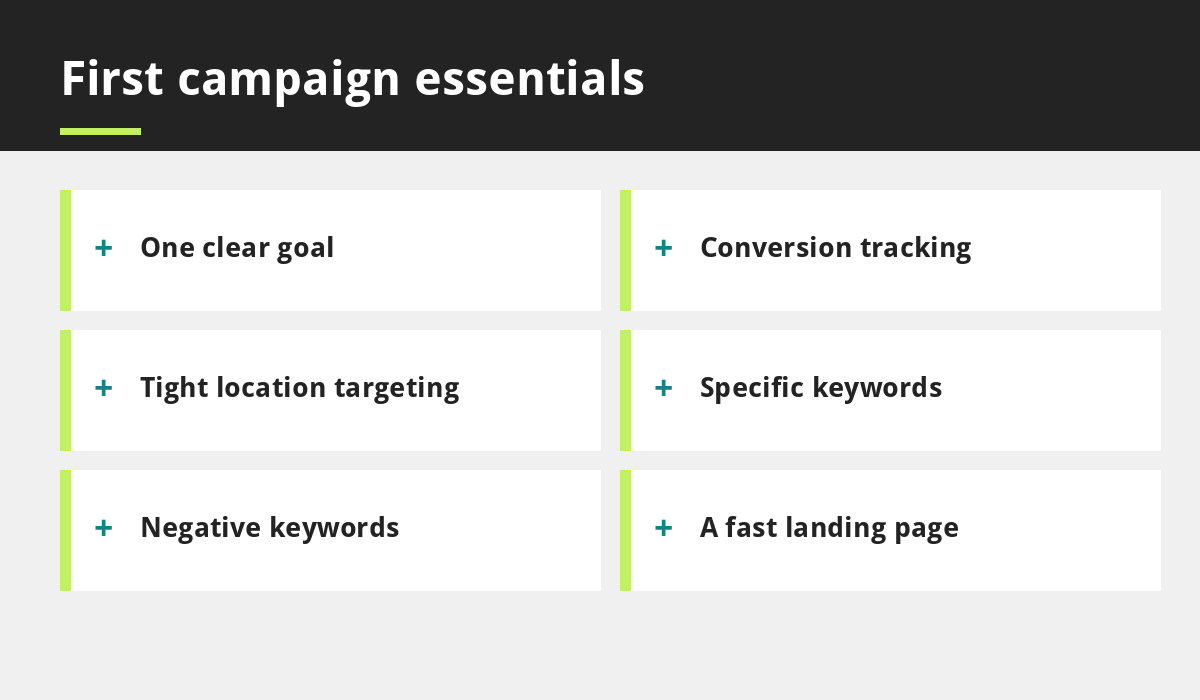
- Use a modest daily budget and tight location and keyword targeting.
- Add negative keywords early to stop wasted clicks.
- Send visitors to a relevant, fast landing page, not a busy home page.
- Track calls and forms so you know your cost per enquiry.
Is Google Ads right for you?
Ads suit businesses that need enquiries soon, have a clear offer and can handle new leads. If you are weighing ads against SEO, read Google Ads vs SEO. Many local businesses benefit from a modest mix of both.
Step 1: Set a goal and a budget
Decide what a successful result looks like, such as a phone call, a form enquiry or a booking. Estimate what an enquiry is worth and what you can afford to pay for one. Then set a daily budget you are comfortable testing, and treat the first month as a learning period.
Step 2: Set up conversion tracking
Before you spend, make sure Google Ads can record calls, form submissions or bookings. Without tracking, you will only see clicks, not results. Test that each conversion fires correctly.
Step 3: Choose location and audience settings
Target only the areas you serve. Check the location options carefully, and choose to reach people who are in or regularly in your areas rather than anyone merely interested in them, if that suits your business. Set the language and the hours when you can answer calls.
Step 4: Choose keywords and match types
Start with specific searches that show clear intent, such as a service plus a place. Use phrase and exact match types to keep control, and be careful with broad matches that can trigger irrelevant searches. Add negative keywords, such as jobs, free or training, to block searches that will never become customers, and review the search terms report regularly.
Step 5: Write clear adverts
Write headlines that match what people searched for, say what you offer and where, and include a clear call to action. Use responsive search ads with several headlines and descriptions, and add extra information such as your phone number and location. Be honest, and avoid claims you cannot prove.
Step 6: Build a landing page that converts
Send each advert to a page that matches it, with a clear headline, proof, a short form and a click-to-call button. The page must be fast and mobile-friendly. See how to speed up your website and why mobile-first matters. Our Google Ads for local businesses service builds landing pages with campaigns.
Your first 30 days
- Check the search terms report every few days and add negative keywords.
- Pause keywords and adverts that spend money without results.
- Check calls and forms are being recorded.
- Compare cost per enquiry with what you can afford.
- Change one thing at a time.
Common first-campaign mistakes
- Targeting too broadly in keywords or locations.
- Sending visitors to the home page.
- No conversion tracking.
- Ignoring negative keywords.
- Giving up or scaling too soon.
Certain categories, including some healthcare services, have extra advertising rules, so check Google’s current policies before you launch. Learn more about our pay per click service.
An illustration of how to think about budget
This is an example of the method, not real figures. Suppose a new customer is worth you £300 in profit and about one in four enquiries turns into a customer. An enquiry is then worth about £75 to you. If your campaign delivers enquiries at a cost lower than that, it is profitable, and you can decide how much more to invest. If it costs more, tighten your keywords, improve your landing page or pause it. Using your own numbers makes decisions far clearer than guessing.
Add phone numbers and extra information to your adverts
Google Ads lets you add extra information, such as a call button, your location and links to key pages, to your adverts. These make your advert larger and more useful, and can increase calls. Keep every extra accurate, and make sure your phone is answered during the hours the advert shows. Review how these extras perform in your reports, and remove any that are not helping.
What to look at in your reports
Focus on a few numbers: how many calls and forms the campaign produced, what each cost, which keywords and search terms led to them and which adverts performed best. Ignore vanity numbers such as impressions on their own. Review the figures weekly at first and monthly once the campaign settles, and write down what you change so you can see what worked.
Common questions
How much should I spend on Google Ads?
Start with a modest daily budget you can afford to test, then adjust once you know your cost per enquiry.
How long before I see results?
Ads can send visitors soon after launch, but it usually takes a few weeks of optimisation to see what works.
For more detail, see Google’s own guide to how Google Ads works.
Final thoughts
Your first Google Ads campaign should be small, focused and measured. Pick one goal, target tightly, track results, send people to a good landing page and improve week by week.
If you would like help, contact our team or read about Google Ads for local businesses.
Related reading
- 10 Small Business SEO Mistakes to Avoid
- Google Ads vs SEO: Which Is Right for Your Business?
- How to Speed Up Your Small Business Website
- Why Your Business Needs a Mobile-First Website
- Pay per click service
Launch offer for UK small businesses. Get a professional website for just £299 a year, with free domain, hosting and SSL for the first year. Only the first 20 customers.