By the Vertexweb team. Last reviewed 4 October 2026.
A slow website quietly costs you customers. Visitors on a phone will not wait long for a page to appear, and if the page jumps around or reacts slowly, they leave. If you want to speed up your website, the good news is that a handful of practical fixes usually make the biggest difference, and most of them do not need technical skills.
This guide explains how to test your speed, what Google measures and ten practical fixes you can apply, from image compression to better hosting, with a simple routine to keep your site fast.
Key takeaways
- Fast pages keep visitors on your site and support better search results.
- Test first, so you know what is actually slowing your site down.
- Large images, weak hosting, too many plugins and heavy scripts are the most common culprits.
- Always check your site on a real phone, not just on a fast computer.
- Speed is not a one-off job. Review it regularly.
Why website speed matters
Speed affects almost everything: first impressions, bounce rates, enquiries and search visibility. Google’s Core Web Vitals measure loading, responsiveness and stability on real visitors’ devices. They are one of many page experience signals and a modest one for rankings, but the bigger benefit is that fast, stable pages keep visitors on your site. For local businesses, where most visitors are on mobile data, a lean site can be the difference between a call and a lost customer. Our post on why your business needs a mobile-first website covers the bigger picture.
Start by testing your site
Use a free tool such as Google’s PageSpeed Insights to test your homepage and your most important pages. Pay attention to three Core Web Vitals:
- Largest Contentful Paint (LCP): how quickly the main content appears.
- Interaction to Next Paint (INP): how quickly the page responds when someone taps or clicks.
- Cumulative Layout Shift (CLS): how much the page jumps around while loading.
Google’s thresholds for a good result are an LCP of 2.5 seconds or better, an INP of 200 milliseconds or better and a CLS of 0.1 or lower, measured for most real visitors. The report lists suggestions. Do not try to fix everything. Start with the biggest problems.
Fix 1: Compress and resize images
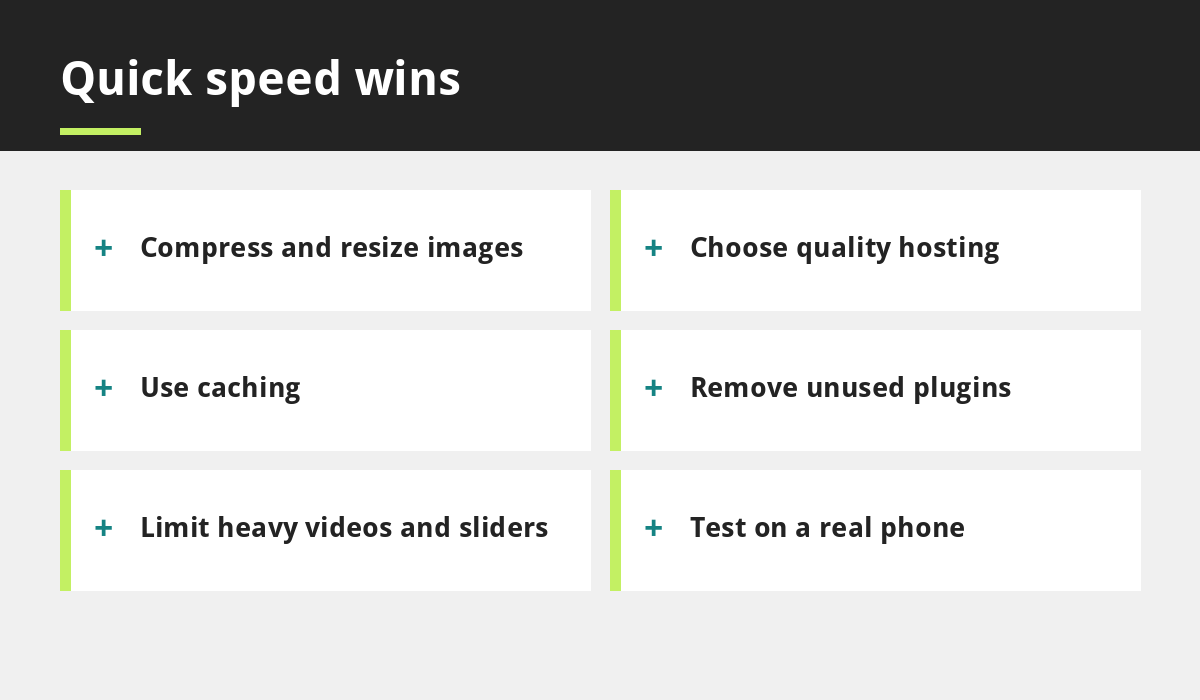
Oversized images are the most common cause of slow pages. A photo straight from a phone can be several megabytes. Resize images to the size they are shown on the page, compress them and use modern formats such as WebP where possible. Most website platforms have tools or plugins that do this automatically.
Fix 2: Choose quality hosting
Low-priced, overcrowded hosting can make even a well-built site slow. Look for a provider with fast servers, good support and UK or nearby data centres. If you are comparing offers, remember the questions in our guide to affordable website red flags.
Fix 3: Use caching
Caching saves ready-made copies of your pages so they load faster for repeat visitors. Many hosts and WordPress plugins offer it. Set it up carefully and clear the cache after major changes.
Fix 4: Remove unused plugins and add-ons
Every plugin adds code that has to load. Delete anything you no longer use, replace several small plugins with one good one where possible and keep the ones you keep updated. Fewer moving parts also mean fewer security problems, which we discuss in website maintenance for UK small businesses.
Fix 5: Limit heavy sliders, videos and animations
Large background videos, auto-playing sliders and complex animations look impressive but slow pages down, especially on phones. Use a single strong image instead, and host videos on a platform and embed them only on pages where they matter.
Fix 6: Simplify fonts
Each font style adds files to download. Stick to one or two font families and only the weights you need. A clean, consistent look is also easier to read.
Fix 7: Watch third-party scripts
Chat widgets, social feeds, tracking tools and booking widgets all load extra code from other websites. Keep the ones that earn their place and remove the rest. Check that features like online booking are set up in a lightweight way.
Fix 8: Keep your theme and database tidy
A lightweight theme and a clean database help. Remove old drafts, spam comments and unused media if your platform allows it, and choose a well-built theme rather than one packed with features you will never use.
Fix 9: Design for mobile first
Keep pages short and simple, use large text and buttons, and avoid layouts that rely on large desktop images. Our five website design mistakes post lists layout problems that hurt both speed and sales.
Fix 10: Test again, on a real phone
After making changes, retest with PageSpeed Insights and then open your site on a real phone using mobile data. Time how long it takes to be useful. Add speed checks to your website launch checklist and repeat them every few months.
Common speed mistakes
- Uploading full-size photos straight from a camera.
- Installing plugins you do not use.
- Choosing hosting on price alone.
- Testing only on a fast office connection.
- Adding features without checking their impact.
Frequently asked questions
How fast should a small business website load?
Aim for pages that feel quick on a mobile connection, with the main content appearing in a couple of seconds. Google’s PageSpeed Insights gives specific guidance for your pages.
Does website speed affect SEO?
Yes. Page experience, including speed and stability, is one of many signals Google considers. Fast pages also keep visitors engaged, which helps your business directly.
What slows down a WordPress website?
Large images, poor hosting, too many plugins, heavy themes and third-party scripts are common causes. Caching and tidy maintenance help.
Do I need a developer to speed up my site?
Not always. Image compression, removing unused plugins and enabling caching can be done by most owners. A developer can help with deeper fixes.
How often should I check my website speed?
Check after major changes and review it every few months as part of regular maintenance.
Final thoughts
To speed up your website, test first, then fix the biggest problems: compress images, choose good hosting, use caching, remove unused plugins and keep pages light on mobile. Faster pages make a better first impression, keep visitors longer and help your business get found.
If you would like a professional speed check, contact our team or explore our web development services.
Sources and further reading
Related reading
- Why Your Business Needs a Mobile-First Website
- Website Maintenance for UK Small Businesses
- WordPress vs Wix vs Squarespace
- Small Business Website Checklist
Launch offer for UK small businesses. Get a professional website for just £299 a year. Only the first 20 customers, for restaurants, small clinics and small businesses.