By the Vertexweb team. Last reviewed 4 October 2026.
Every missed call, unanswered message and double-booked slot costs a small business money. An online booking system for a small business solves these problems by letting customers pick a time themselves at any hour, while you get a tidy diary and fewer interruptions. It is useful for restaurants, clinics, salons, trades, studios and many other service businesses.
With so many tools available, choosing one can be confusing. This guide explains the main types of booking system, the features that matter, how pricing usually works, how to connect a system to your website and how to avoid common mistakes.
Key takeaways
- Pick a system that suits your business type: appointments, tables or classes and events.
- Mobile-friendly booking, reminders and easy rescheduling matter most to customers.
- Check the pricing model carefully, including monthly fees and any per-booking charges.
- Make sure the system fits your website and handles customer data responsibly.
- Test the whole booking process yourself before you launch it.
What an online booking system does for you
A booking system lets customers see your availability and reserve a slot without calling. That saves time for your team, captures bookings outside opening hours and reduces mistakes. Many systems also send automatic reminders, which can reduce no-shows, and some let you take deposits or payments in advance.
For clients, the experience is simple: choose a service, pick a time, confirm. For you, everything lands in one diary that you can check from your phone.
Types of booking system
- Appointment booking: for salons, clinics, therapists, trades and consultants, where one person or team handles one client at a time.
- Table reservations: for restaurants and cafes, with table sizes, time slots and covers.
- Classes and events: for studios, workshops and courses, with limited places and waiting lists.
- Quote or enquiry forms: for businesses that need to discuss the job first, such as many trades.
Choose the type that matches how you actually work. If you are a restaurant, our guide to restaurant website design shows how booking fits into your site, and salon owners can read our hair salon website guide.
Features that matter
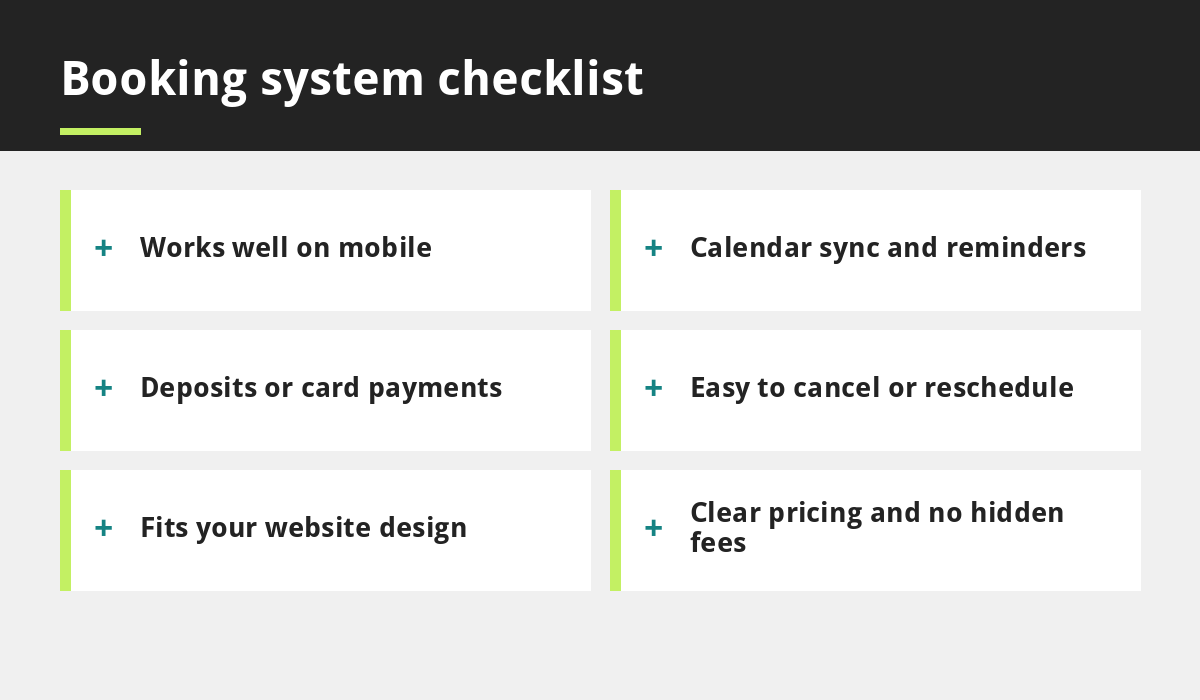
Not every feature is essential, but these are worth checking:
- Mobile-friendly design: most customers book on their phone.
- Calendar sync: avoid double bookings by connecting with the calendars you already use.
- Automatic reminders: by email or text to cut down no-shows.
- Easy changes: customers should be able to cancel or reschedule without calling.
- Services and staff options: different durations, prices and team members.
- Payments and deposits: useful for high-value or high no-show services.
- Reports: see which services and times are most popular.
Deposits, payments and cancellation rules
If no-shows are a problem, ask for a small deposit or card details when booking. Whatever you decide, state your cancellation policy clearly on the booking page and in the confirmation email. Clear rules make conversations easier if something goes wrong.
Connecting booking to your website
You can add a booking system to your website in two main ways: a link that opens the booking page, or a widget embedded in a page of your site. Embedding keeps visitors on your website and can feel more seamless, while a link is simpler. Either way, put a clear Book now button at the top of every page and make sure it works on mobile. Our guide on mobile-first websites explains why this is so important, and our web development team can set it up for you.
Privacy and customer data
Booking systems collect names, contact details and sometimes health or other sensitive information. Choose a provider that explains how data is stored and protected, only ask for what you need and mention booking data in your privacy policy. Our GDPR and cookie guide for small business websites covers the basics. Clinics should be especially careful, as described in our clinic website guide.
How booking system pricing works
Pricing models vary. Some tools charge a monthly subscription, some offer a free plan with limited features, and some take a fee or commission per booking or per payment. Compare the total yearly cost for your expected number of bookings, not just the headline price. Ask about setup fees, text message charges and what happens if you cancel. As with websites, our post on affordable website red flags shows why checking the full cost matters.
How to choose: a simple process
- List your needs: services, staff, payments, reminders.
- Shortlist two or three tools that fit your business type.
- Try the free trial and make a test booking on your phone.
- Check the total cost over twelve months.
- Ask about support: who helps if something breaks?
- Check you can export your data if you want to switch later.
Mistakes to avoid
- Choosing a system that is hard to use on a phone.
- Leaving old availability or services in the system.
- Hiding the booking button on your website.
- Not testing confirmation and reminder messages.
- Ignoring privacy and consent wording.
Run through our website launch checklist to make sure your booking flow works before going live.
Frequently asked questions
What is the best online booking system for a small business?
There is no single best option. The right choice depends on your business type, the features you need and your budget. Shortlist a few tools and test each one on a phone.
How much does an online booking system cost?
Prices vary from free plans with limited features to monthly subscriptions, and some charge per booking or payment. Compare the total yearly cost for your expected volume.
Can I add online booking to my existing website?
Usually yes. Most systems provide a link or an embeddable widget that can be added to a page or button on your website.
Will online booking reduce no-shows?
It often helps, especially when the system sends automatic reminders and allows easy rescheduling. Deposits can reduce no-shows further for some businesses.
Do I need to worry about GDPR with a booking system?
Yes. You are collecting personal data, so you should only ask for what you need, explain how it is used in your privacy policy and choose a provider that handles data responsibly.
Final thoughts
The right online booking system for a small business saves you time, fills your diary and gives customers a smoother experience. Focus on mobile-friendliness, reminders, easy changes and a fair, transparent price, connect it cleanly to your website and test it before you go live.
If you would like help adding booking to your site, contact our team.
Related reading
- Hair Salon Website Design UK
- Restaurant Website Design UK
- GDPR and Cookie Compliance for Small Business Websites
- Small Business Website Checklist
Launch offer for UK small businesses. Get a professional website for just £299 a year. Only the first 20 customers, for restaurants, small clinics and small businesses.