By the Vertexweb team. Last reviewed 4 October 2026.
When someone searches for a restaurant, clinic, salon or tradesperson nearby, Google often shows a map and a short list of businesses before any website. That is where your Google Business Profile appears. Careful Google Business Profile optimisation is one of the most effective free ways for a UK small business to be found by people who are ready to visit, call or book.
This step-by-step guide shows how to claim and verify your profile, fill in every section properly, use photos and updates, handle reviews and avoid mistakes that can get a listing suspended.
Key takeaways
- Your profile is free and often the first thing local customers see.
- Accuracy matters most: name, address, phone number, hours and categories must be correct and consistent.
- Real photos, a clear description and a link to your website make your listing more useful.
- Reviews and replies build trust, so ask for them honestly and respond to all of them.
- Follow Google’s guidelines. Do not add keywords to your business name or use a fake address.
What is a Google Business Profile?
A Google Business Profile is a free listing that shows your business details in Google Search and Google Maps. It can include your name, address, phone number, opening hours, website link, photos, services or menu, reviews and directions. For local businesses it works like a mini website that appears exactly where customers are looking.
Why it matters for local search
Google has said that local results are based mainly on relevance, distance and prominence: how well your profile matches a search, how close you are to the searcher and how well known your business is. You cannot change distance, but you can improve relevance with accurate, complete information and prominence with good reviews, a quality website and consistent details across the web.
If you are new to local search, start with our overview of how local SEO helps UK businesses win customers nearby.
Step 1: Claim and verify your profile
Search for your business name on Google. If a listing already exists, you can claim it. If not, create a new one. Google will ask you to verify that you really run the business, usually by code, phone, email or video, depending on the business. Verification stops others from controlling your listing, so complete it as soon as you can.
Step 2: Choose the right categories
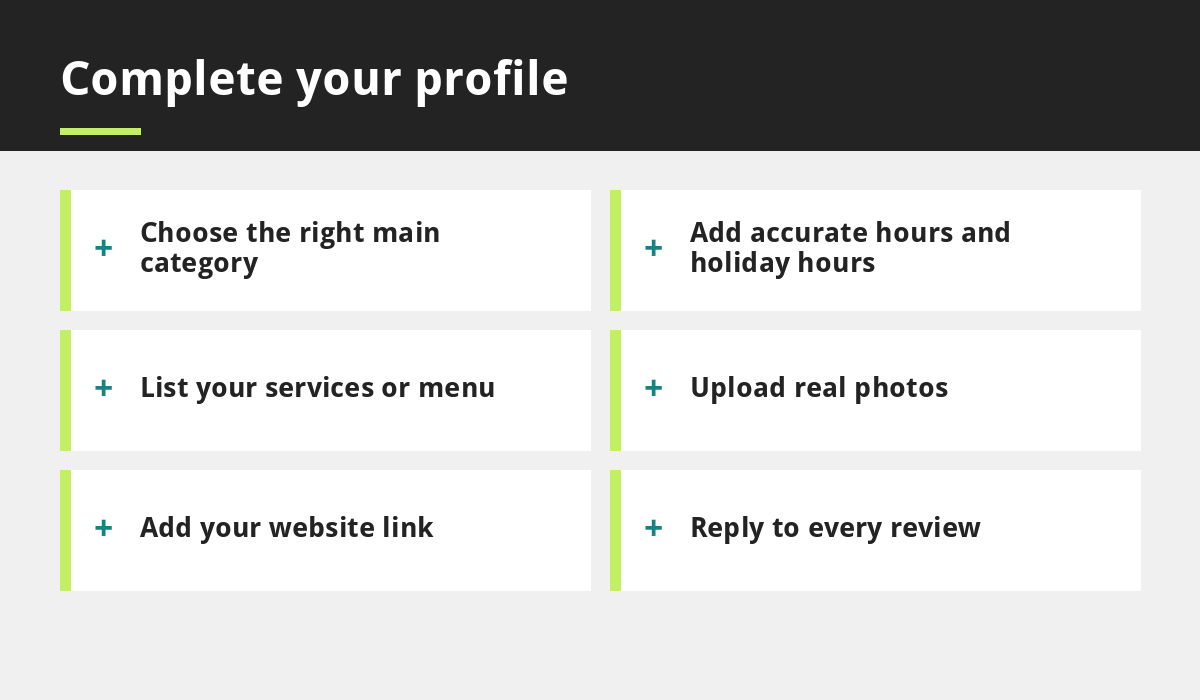
Your main category is one of the strongest signals about what you do. Choose the most specific option available, such as Italian restaurant rather than just restaurant, or physiotherapist rather than health. Add a few extra categories for other services you genuinely offer, but do not overdo it.
Step 3: Add accurate business details
- Business name: use your real trading name exactly as it appears on your signage and website. Do not add keywords or locations that are not part of the name.
- Address: use your real premises. If you travel to customers and do not serve them at your address, set up service areas instead and hide your address if appropriate.
- Phone number: use a number you answer.
- Website: link to your most relevant page, usually the homepage.
- Opening hours: keep them accurate, including bank holidays and special dates.
Step 4: Write a helpful description
Use the description to explain what you do, who you help and what makes you different, in a few clear sentences. Write for customers, not for search engines, and avoid promotional claims, links or phone numbers in the text.
Step 5: List services, menu and products
Add the services you offer, with short descriptions and prices where possible. Restaurants can add menu information and links, and clinics and salons can list treatments. The more complete and accurate your profile, the easier it is for Google and customers to understand it.
Step 6: Upload real photos
Add clear photos of your premises, team, products and work. Include an exterior shot so people recognise the place when they arrive, an interior view and photos of your best work. Avoid stock images. Refresh them regularly. Our guides for restaurants, salons and trades include more tips on strong photography.
Step 7: Collect and reply to reviews
Reviews influence both rankings and customer decisions. Ask satisfied customers to leave an honest review, make it easy with a direct link and reply to every review politely, including critical ones. Never buy, fake or incentivise reviews, as this breaches Google’s rules. Our full guide on getting more Google reviews explains how to do this properly.
Step 8: Keep it active
Check your profile regularly. Update hours before holidays, add new photos, share offers or news where the feature is available and review any messages or questions. An active profile signals that your business is open and reliable.
Connect your profile and website
Your website and profile should work as a pair. Make sure the business name, address and phone number match exactly, add a map to your contact page and use consistent wording about what you do. A fast, mobile-friendly website gives visitors a good reason to stay after tapping through. Read why your business needs a mobile-first website and check our launch checklist. Our SEO service can help with both.
Common mistakes to avoid
- Adding keywords to the business name.
- Using a virtual office or someone else’s address.
- Leaving incorrect or outdated opening hours.
- Ignoring reviews, especially negative ones.
- Choosing too many unrelated categories.
- Inconsistent details between your profile and website.
Frequently asked questions
Is Google Business Profile free?
Yes. Creating and managing a Google Business Profile is free for eligible businesses.
How long does verification take?
It varies. Some businesses are verified quickly by phone, email or video, while others may take longer, depending on the method Google offers.
Can I have a Google Business Profile without a shop?
Often yes. Service-area businesses, such as many tradespeople, can set up a profile and choose areas served instead of showing a public address, subject to Google’s guidelines.
How do I get more reviews on my profile?
Ask happy customers politely, share your direct review link, reply to every review and never offer rewards or buy reviews.
Do I still need a website if I have a Google Business Profile?
Yes. A profile is limited in space and control. A website lets you explain your services fully, take bookings and build trust.
Final thoughts
Good Google Business Profile optimisation is about accuracy, completeness and honesty. Claim your listing, choose precise categories, keep your details consistent, add real photos and respond to reviews. These simple steps can help nearby customers find you and choose you, without any advertising budget.
If you would like help, contact our team.
Sources and further reading
- Google: Guidelines for representing your business on Google
- Google: Prohibited and restricted content (Maps)
Related reading
- How to Get More Google Reviews
- How Local SEO Helps UK Businesses Win Customers Nearby
- Website vs Google Business Profile vs Social Media
- Website for Tradespeople UK
Launch offer for UK small businesses. Get a professional website for just £299 a year. Only the first 20 customers, for restaurants, small clinics and small businesses.