By the Vertexweb team. Last reviewed 4 October 2026.
Launching a new website is exciting, but a few small mistakes can quietly cost you enquiries. A broken form, a missing phone number or a page that is awkward on mobile can turn visitors away on day one. Use this small business website checklist to catch common problems before your customers do. It is written for owners of restaurants, clinics, shops and service businesses, and you do not need technical skills to follow it.
We have grouped the checks into eight areas, followed by a launch day routine and a plan for the first 30 days afterwards. Print it, tick off each item and launch with confidence.
Key takeaways
- Test your site on a real phone and a computer, not just in a preview.
- Test every form, button and phone link yourself.
- Make sure search engines are allowed to see your site, and that each page has a title and description.
- Include the legal basics: privacy policy, cookie notice and required business details.
- Set up analytics, backups and security before you announce the launch.
Before you start: the groundwork
Before running the checks, make sure the basics are in place. Your content should be final, including text, photos, prices and opening hours. Your domain name should be registered in your business’s name. You should know who will update the site after launch. If you are still choosing a provider, our guide on affordable website red flags lists the questions to ask.
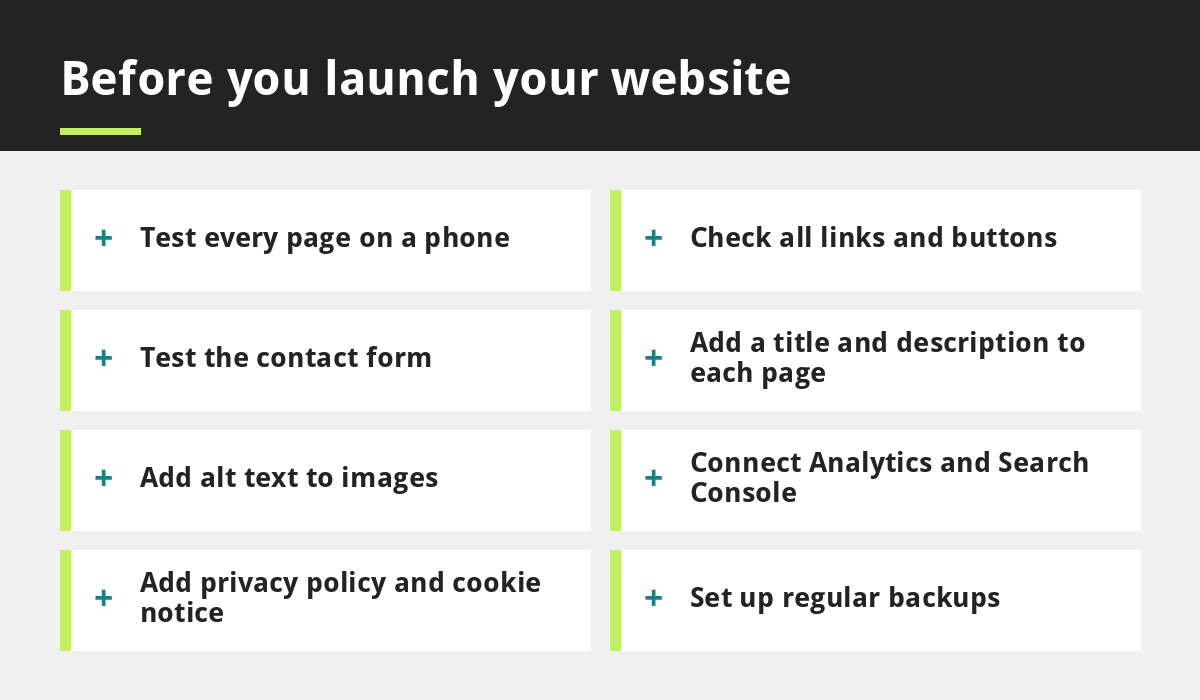
1. Test every page on a phone
Most local visitors browse on mobile, so check your site on at least one iPhone or Android phone and on a computer. Look for text that is too small, buttons that are hard to tap, images that are cut off and menus that do not open. Rotate the screen and test slow connections if you can. For more on why this matters, read why your business needs a mobile-first website.
2. Check every link and button
Click each item in the menu, every button and every link in the footer. Make sure none lead to an error page. On a phone, tap your phone number to confirm it starts a call, and tap your address to confirm it opens a map. Check that links to social media open the correct profiles.
3. Test your contact and booking forms
Fill in each form yourself and confirm the message reaches the right inbox, including the spam folder. Check that visitors see a clear thank-you message after sending. Many businesses discover their enquiries were going to the wrong address only after weeks of silence. If you take bookings, make a test booking from start to finish.
4. Set up the SEO basics
Good search engine optimisation starts with simple, careful setup:
- Give every page a unique title and a short description that includes what you do and where you are.
- Use one main heading per page and clear subheadings.
- Check that your site is not set to discourage search engines. Many builders have a setting that hides a site during development, and it must be turned off at launch.
- Create an XML sitemap and submit it to Google Search Console.
- Link related pages together so visitors and search engines can navigate easily.
Our SEO services can take this further, and our guide on local SEO covers location-specific tips.
5. Optimise images and add alt text
Large images are the most common cause of slow pages. Compress photos before uploading and use sensible sizes. Add alt text to each image, which is a short description of what the image shows. It helps people who use screen readers and helps search engines understand your pages.
6. Connect Analytics and Search Console
Free Google tools show how many people visit your site, which pages they read and which searches bring them to you. Set them up before launch so you have data from day one. Also connect your Google Business Profile to your website address, and check that your business details match everywhere.
7. Add your legal pages and details
Most UK business websites need a privacy policy that explains what personal information you collect and why. If your site uses cookies for analytics or marketing, add a clear cookie notice and a way to manage consent. If you operate as a limited company, UK rules expect certain company details to be shown on your website, such as your registered name, number and registered office address. Check the latest government guidance, and consider professional advice for your situation. If you collect personal data through forms, handle it in line with UK GDPR.
8. Set up backups and security
Make sure your site is backed up regularly and that you know how to restore it. Keep software, themes and plugins updated, use strong unique passwords and turn on two-step login where available. Confirm that your site uses HTTPS, shown by the padlock in the browser. It is much easier to restore a backup than to rebuild a website after a problem.
Bonus: accessibility and readability
Check that text has strong contrast against its background, that headings are in a logical order and that buttons have clear labels. An accessible site is easier for everyone to use and often performs better on phones.
Launch day routine
- Run through the eight checks one final time.
- Take a fresh backup.
- Switch off any maintenance or coming soon mode.
- Confirm that search engines can see the site.
- Update your Google Business Profile and social profiles with your new website address.
- Tell your customers through email, social posts and in person.
The first 30 days after launch
A website is never really finished. In the first month, check your analytics weekly, read any enquiries and fix anything visitors struggle with. Add a few helpful pages or articles, such as answers to common customer questions. Our guide on how to write blog posts that rank on Google shows how to plan content, and five website design mistakes that cost you customers will help you spot problems early.
Frequently asked questions
How long does it take to check a website before launch?
For a small site, running through this checklist usually takes a few hours. Testing forms and phone behaviour properly is worth the time.
What is the most common mistake when launching a website?
Forgetting to test forms and leaving the site hidden from search engines are two of the most common. Both are easy to avoid with the checks above.
Do I need Google Analytics on my small business website?
It is not required, but it is very useful. Free tools like Google Analytics and Search Console show you how visitors find and use your site. Remember to explain any tracking in your privacy policy and cookie notice.
Do I need a cookie banner?
If your site uses cookies that are not strictly necessary, such as for analytics or advertising, UK rules expect you to get consent first. Check the latest ICO guidance for your situation.
How often should I back up my website?
Daily backups are a good standard for active sites, and at least weekly for sites that rarely change. Make sure you can actually restore from a backup.
Final thoughts
A small business website checklist turns launch day from a gamble into a routine. Test on real devices, confirm that forms and links work, set up the SEO basics, add your legal pages and protect your site with backups and security. Do these things and you will start with a site that looks professional, works properly and is ready to bring in customers.
If you would rather have a team handle the build and the checks for you, contact us or explore our web development services.
Sources and further reading
- ICO: What are the rules on cookies and similar technologies?
- ICO: Data protection fee self assessment
Related reading
- Affordable Website UK: Red Flags to Check Before You Pay
- Restaurant Website Design UK
- Clinic Website Design UK
- Website vs Google Business Profile vs Social Media
Launch offer for UK small businesses. Get a professional website for just £299 a year. Only the first 20 customers, for restaurants, small clinics and small businesses.