By the Vertexweb team. Last reviewed 4 October 2026.
Choosing a clinic is a personal decision. Patients usually research carefully: they look at who you are, what you offer, what it costs and whether they can trust you, often before they ever pick up the phone. That is why clinic website design in the UK starts with trust and clarity, and only then moves on to style. A small clinic that explains its services honestly and makes booking simple has a real advantage online.
This guide covers the pages and trust signals a small clinic website needs, how to write about treatments, how to handle booking and patient data, what to remember about UK advertising rules and how to be found by local patients.
Key takeaways
- Trust comes first: show who treats patients, their qualifications and any relevant registration details.
- Give each main treatment its own page with plain-English explanations and clear next steps.
- Make booking simple, and think carefully about how you collect and protect patient information.
- Advertising rules apply to your website, so keep claims honest and check your regulator’s guidance.
- Local SEO and a complete Google Business Profile help nearby patients find you.
Why a small clinic needs a strong website
Whether you run a physiotherapy studio, a dental practice, a private GP service, a therapy room or an aesthetic clinic, your website is often the first impression. Patients compare options, read reviews and look for signs of professionalism. A clear, accurate website reassures them before the first appointment and saves your reception team from answering the same questions repeatedly.
It also gives you a home for information that social media cannot hold well: treatments, fees, opening times, location, team profiles and frequently asked questions. If you are still weighing up where to start, our guide on website vs Google Business Profile vs social media compares the main options.
Trust signals patients look for
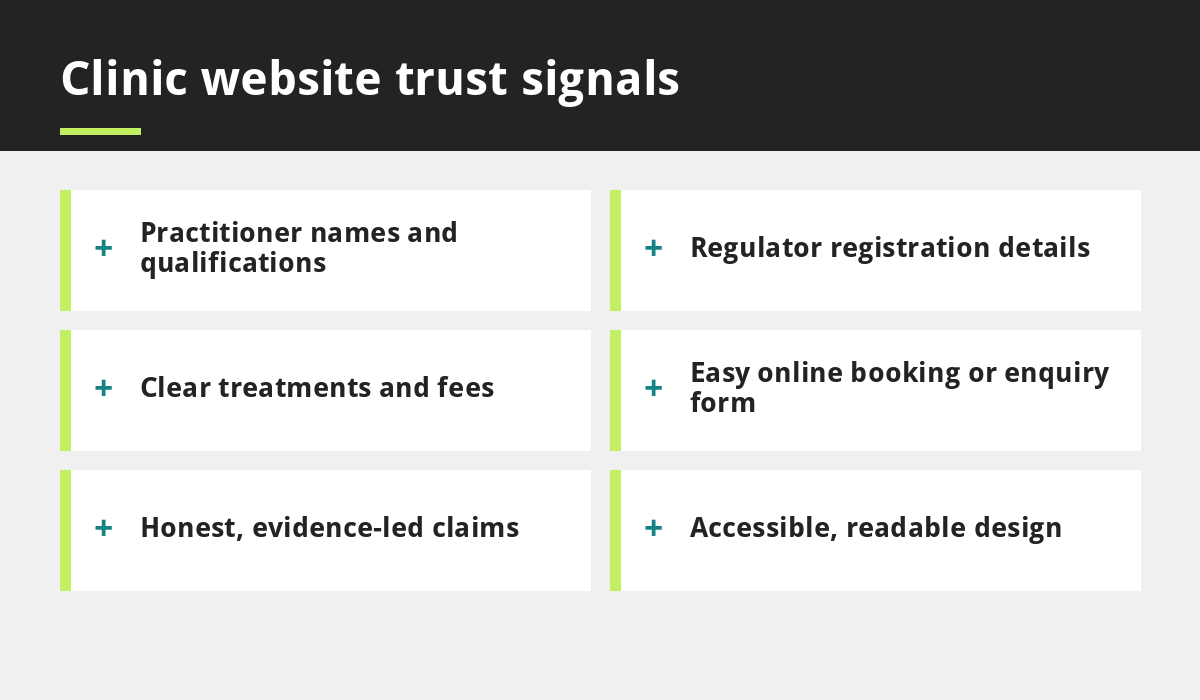
- Who you are: names, photos and short biographies for each practitioner.
- Qualifications and registration: show professional qualifications and, where applicable, registration details with bodies such as the GMC, GDC, NMC or HCPC.
- Regulation: if your service is registered with the Care Quality Commission, say so and link to your public information where appropriate.
- Clear contact details: address, phone number, opening hours and a map.
- Genuine reviews: link to your Google reviews or recognised review platforms.
- Real photos: pictures of your premises, treatment rooms and team help patients feel at ease.
The pages every clinic website should have
- Homepage: who you help, what you offer and how to book.
- Treatments or services: one page for each main service.
- Meet the team: profiles of your clinicians and staff.
- Fees and payments: clear pricing, or at least guidance on how fees work.
- Booking or contact: a simple form, booking link and phone number.
- Patient information: what to expect at a first visit, how to prepare, cancellation policy.
- FAQs: short answers to the questions patients ask most often.
How to write a good treatment page
Treatment pages are where many patients decide whether to contact you. A simple structure works well:
- What it is: explain the treatment in plain English.
- Who it helps: describe the problems or goals it can address, without exaggeration.
- What to expect: how long it takes, how many sessions may be needed and any preparation.
- Risks and aftercare: be open and balanced.
- Fees and booking: how much it costs and how to book.
Avoid medical jargon wherever you can. If you need help with wording, our content making services can produce clear, patient-friendly copy.
Booking, enquiry forms and patient privacy
Make it easy to get in touch. Offer a booking link, a short enquiry form and a click-to-call button on mobile. Many people search for clinics outside working hours, so a form that works at any time can capture enquiries you would otherwise miss.
Remember that forms collect personal data, and health-related information is especially sensitive. Only ask for what you need, tell patients how their details will be used with a clear privacy policy, and avoid encouraging people to send detailed medical information through a standard contact form or email. Check the Information Commissioner’s Office guidance on UK GDPR to make sure your approach is compliant.
Advertising rules to keep in mind
Your website counts as advertising. In the UK, healthcare marketing is covered by the Advertising Standards Authority’s CAP Code, and professional regulators such as the GMC, GDC, NMC and others publish their own guidance. Providers registered with the CQC should also make sure their marketing is consistent with the services they actually provide.
- Claims should be honest, accurate and backed up by evidence.
- Do not promise or imply guaranteed results.
- Be careful with testimonials, and do not suggest that unusual results are typical.
- Treat before-and-after images with care and follow your regulator’s rules.
- Do not pressure patients to book.
Rules differ between professions and treatments, so always check the latest guidance from your own regulator. This article is general information, not legal or regulatory advice.
Local SEO for clinics
Patients search for things like “physiotherapy near me”, “private dentist in Manchester” or “back pain clinic in Birmingham”. To appear in those results, complete your Google Business Profile, keep your name, address and phone number consistent everywhere, and publish helpful pages about each service and the area you serve. Encourage patients to leave honest reviews and respond professionally. Our guide to local SEO for UK businesses covers the basics, and our SEO services go further.
Accessibility and ease of use
Your patients include older people, people with visual or motor difficulties and people who are unwell or anxious. Choose readable fonts, strong colour contrast, descriptive buttons and simple navigation. Making sure the site works with a keyboard and screen readers is good practice, and following recognised accessibility guidelines can improve results for everyone. A site that is easy for all patients also tends to perform better on phones, which we cover in why your business needs a mobile-first website.
Helpful content builds trust over time
Short articles that answer real patient questions, such as what to expect from a first appointment or how to prepare for a treatment, build trust and bring in search traffic. Keep them educational rather than promotional, and make sure they follow the advertising rules above. Our post on writing blog posts that rank on Google shows how to plan them.
Common clinic website mistakes
- Hiding practitioner names and qualifications.
- Using stock photos instead of real ones.
- Unclear fees or no guidance on payment.
- Making exaggerated or unsupported claims.
- A booking process that does not work on a phone.
- No privacy policy or cookie notice.
Run through our website launch checklist to catch the technical basics, and read about affordable website red flags before you choose a provider.
Frequently asked questions
Does a small clinic really need a website?
Yes. Patients usually research before booking, and a website lets you explain your services, show your credentials and make booking easy, all in your own words.
Can I show patient testimonials on my website?
Often yes, but the rules depend on your profession and regulator. Testimonials should be genuine and should not imply results that are not typical. Check your regulator’s guidance first.
What information should a clinic website show?
At minimum: who your practitioners are, their qualifications and registration details where relevant, your services, your location and opening hours, how to book and how to contact you. Fees should be as clear as possible.
How can my clinic appear in local searches?
Complete and verify your Google Business Profile, keep your details consistent, collect genuine reviews and publish clear pages about your services and location.
Do I need a privacy policy on my clinic website?
Yes, if you collect personal information through forms, bookings or analytics. Explain what you collect, why and how it is protected, and follow UK GDPR guidance from the ICO.
Final thoughts
The best clinic website design in the UK is calm, clear and honest. Show who you are, explain your services in plain English, make booking easy and respect both patient privacy and advertising rules. Add strong local SEO and helpful content, and your website becomes a trusted front door for new patients.
If you would like help building one, contact our team.
Sources and further reading
Related reading
- Affordable Website UK: Red Flags to Check Before You Pay
- Website vs Google Business Profile vs Social Media
- Small Business Website Checklist
- Why Your Business Needs a Mobile-First Website
Launch offer for UK small businesses. Get a professional website for just £299 a year. Only the first 20 customers, for restaurants, small clinics and small businesses.