By the Vertexweb team. Last reviewed 4 October 2026.
Before you build a website, you have to pick the platform it runs on. For most UK small businesses, the choice comes down to three well-known names: WordPress, Wix and Squarespace. Searching for WordPress vs Wix vs Squarespace leads to endless opinions, but the best answer depends on your business, your time and your budget, not on which tool is most popular.
This plain-English comparison explains how each works, what they do well, where they fall short and how to choose. It avoids technical jargon so you can decide with confidence.
Key takeaways
- Wix and Squarespace are all-in-one hosted builders: simple to start, with less flexibility.
- WordPress is open and flexible, with more control, but needs more care and maintenance.
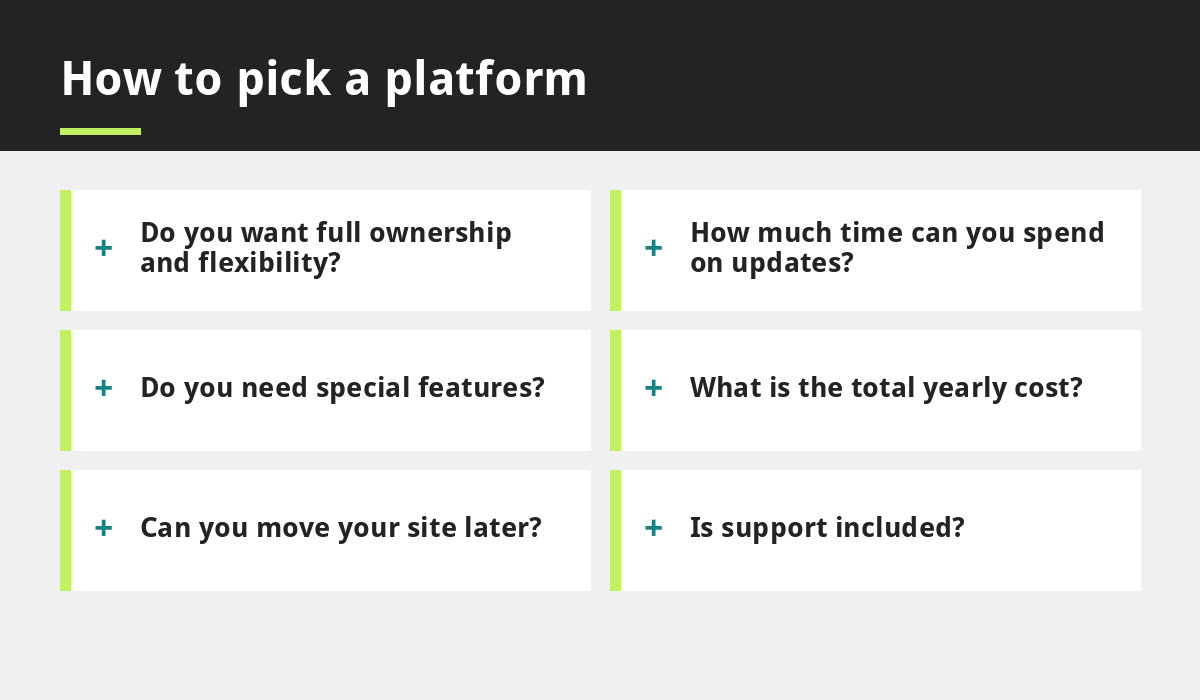
- Compare ownership, total yearly cost, support, flexibility and how easy it is to move later.
- The best platform is the one that fits your goals and the time you can spend on it.
- You can also hire a professional team and avoid the technical work entirely.
The three platforms at a glance
WordPress is open-source website software used by a huge share of websites. You usually install it with a hosting provider, then add themes and plugins to design your site and add features. Wix and Squarespace are hosted website builders. You pay a subscription and build your site using their drag-and-drop tools, with hosting included.
Our own website runs on WordPress, but we are happy to recommend what suits you best.
Wix: simple and fast to start
Wix is known for ease of use and a large library of templates. You can build a basic site without technical knowledge, and hosting, security and updates are handled for you. The trade-off is less flexibility: you work within the platform’s tools, and moving your site elsewhere later is not straightforward because the site is tied to the platform.
Squarespace: design-led and tidy
Squarespace is popular for polished templates, especially for portfolios, restaurants and creative businesses. Like Wix, it is all-in-one, so hosting and security are included. It is attractive and consistent, but you are limited to its features and design structure, and moving away later means rebuilding.
WordPress: flexible and powerful
WordPress offers the most freedom. You own your site files, can choose your hosting provider, and can add almost any feature through plugins, from booking and forms to memberships and online shops. It is also well regarded for search engine optimisation. The trade-off is responsibility: you or your provider must keep software updated, back up the site and manage security. Read our guide to website maintenance for UK small businesses to see what is involved.
Comparing the key factors
- Ownership: WordPress gives you the most control over your files and hosting. Hosted builders keep your site on their platform.
- Flexibility: WordPress is the most flexible. Wix and Squarespace cover common needs well but have limits.
- Ease of use: Wix and Squarespace are simpler to start. WordPress has a learning curve, though page builders help.
- Maintenance: hosted builders handle updates for you. WordPress needs regular care.
- Cost: compare the full yearly cost, including hosting, domain, extras and renewals, not just the first-month price.
- Support: hosted builders offer platform support. With WordPress, support comes from your host or developer.
- Moving later: easier with WordPress. Harder with hosted builders.
What about SEO?
All three can support good search engine optimisation if set up properly, with clear page titles, descriptions, fast loading and useful content. WordPress tends to offer the most control over technical details. Whatever you choose, quality content and a fast, mobile-friendly design matter most. See our speed guide and our SEO services.
Which one suits which business?
A one-person business that needs a simple page and does not mind a platform’s limits may be happy with Wix or Squarespace. A business that expects to grow, wants booking, forms or custom features, or wants full ownership may prefer WordPress. If you do not want to build or maintain anything yourself, hiring a team to build it for you removes most of the difference. Our web development service does exactly that.
Questions to ask before choosing
- What is the total cost for the first two years?
- Can I own and export my content?
- Do I need booking, payments or other features?
- Who updates the site and fixes problems?
- Will I be able to move my site later?
- How does my domain connect? See how to choose a domain name.
Common mistakes
- Choosing on the first-month price alone.
- Ignoring renewal prices.
- Starting on a platform that cannot support the features you will need next year.
- Forgetting that WordPress needs maintenance.
- Not checking mobile performance before launch.
See also affordable website red flags and our launch checklist.
Frequently asked questions
Which is best for a small business: WordPress, Wix or Squarespace?
There is no single winner. Wix and Squarespace are simpler to start with, while WordPress offers more flexibility and ownership. Choose based on your goals, time and budget.
Is WordPress better for SEO?
WordPress offers a lot of control over SEO settings, but all three platforms can rank well when the site is fast, mobile-friendly and has helpful content.
Can I move from Wix or Squarespace to WordPress later?
Yes, but it usually means rebuilding the site, because designs do not transfer directly. Text and images can usually be reused.
Is WordPress free?
The WordPress software is free, but you still pay for hosting, a domain name, any premium themes or plugins and possibly maintenance or professional help.
Do I need to maintain a WordPress website?
Yes. Updates, backups and security checks are important. You can do them yourself, or use a provider who includes maintenance.
Final thoughts
When comparing WordPress vs Wix vs Squarespace, look past the marketing and ask what you need. Hosted builders are quick and simple. WordPress is flexible and gives you more ownership. All can work well for a small business when used with care. Compare total costs, check who owns your content and make sure you can grow.
If you would like a recommendation for your business, talk to our team.
Related reading
- How to Choose a Domain Name for Your UK Business
- Website Maintenance for UK Small Businesses
- How to Speed Up Your Small Business Website
- Affordable Website UK: Red Flags to Check Before You Pay
Launch offer for UK small businesses. Get a professional website for just £299 a year. Only the first 20 customers, for restaurants, small clinics and small businesses.